33 short videos, most of them under 3 minutes, show how each part of Hunter Vault works. Every one has chapters and a full transcript. New here? Start with the 8 Getting Started steps, or watch the whole setup in one video.
From a fresh install to a working budget, one step at a time. 8 videos. Watch the playlist on YouTube
Set up Hunter Vault from a fresh install in about 3 minutes: your pay schedule, your main account, the bills you pay each month and a starter budget.
Log an expense in Hunter Vault in a few taps: the amount, a category, the account it's paid from, the store name, and what happens when you save it.
Log your paycheck in Hunter Vault and set your payday: income categories, a saved income source, your pay schedule and your expected monthly income.
Create a savings goal in Hunter Vault, choose how you'll save for it, get a monthly plan worked out for you, and make your first deposit.
Set up a monthly budget in Hunter Vault: what Available to budget means, the four budget types, and how to put a monthly limit on a category.
Add a savings account and a credit card in Hunter Vault and see how your net worth adds up: assets, liabilities, your credit limit and what you owe.
How much can you spend until payday? Safe to Spend in Hunter Vault answers that. See what it needs, why it can show $0, and how to read the math.
How the game side of Hunter Vault works: quests that pay XP and gold for real money tasks, the six ranks from E to S, ranking up, and streak bonuses.
Split bills, receipts, refunds, transfers, credit cards and finding any transaction. 8 videos. Watch the playlist on YouTube
Paid for dinner with friends? Split the bill in Hunter Vault, track who owes you what, and mark it collected when they pay you back.
Attach a receipt to any expense in Hunter Vault: snap a photo, pick one from your library or add a PDF, then find it again whenever you need it.
Save the stores you use most in Hunter Vault with a default category and account, so your next expense there fills itself in.
Returned something? Record a full or partial refund in Hunter Vault so it lowers the original expense instead of counting as income.
Move money between your accounts in Hunter Vault, like part of a paycheck into savings, with an optional transfer fee and a note.
Use a credit card in Hunter Vault: charge a purchase to the card, see what you owe and how much credit is left, then log a payment from your bank.
Find any transaction in Hunter Vault: filter by type, account or category, switch months, and search one month or your whole history.
Organize your spending categories in Hunter Vault: add one from a suggestion, edit or delete it safely, and split it into subcategories (Premium).
Bills, recurring payments, debts, reports and the four budget types. 6 videos. Watch the playlist on YouTube
The Plan page in Hunter Vault puts your whole month on one screen: what's left in your budget, your next move, and your bills, goals and debts.
Track your monthly bills in Hunter Vault and turn on auto-pay, so each bill is paid from your bank account or charged to your card on its due date.
Set up recurring transactions in Hunter Vault: a monthly subscription, a savings transfer every payday, and how to pause, edit or remove a rule.
Track your debts in Hunter Vault, log payments, and compare avalanche vs snowball to see how extra payments get you debt-free sooner.
See where your money went with Hunter Vault's spending reports: income, expenses, top categories, budget vs actual, and a CSV export of your data.
Monthly, flexible, save for later or track only? The four budget types in Hunter Vault, side by side, and when to use each one.
How quests, XP, ranks, achievements and the weekly board work. 4 videos. Watch the playlist on YouTube
How quests work in Hunter Vault: daily quests and the mini boss, the daily chest, streaks, weekly and side quests, and the main story chapters.
How ranks work in Hunter Vault: the six ranks from E to S, the five tiers in each, how to earn XP, and how to ascend once you reach the next rank.
How achievements and titles work in Hunter Vault: what unlocks them, how to equip a title, and what the five attributes on your character sheet mean.
The Weekly Hunter Board in Hunter Vault ranks hunters by money habits, not by how much money they have. Here's how points, resets and hiding work.
Bring in transactions from a CSV, PDF or screenshot, and ask Huntee about your money. 3 videos. Watch the playlist on YouTube
Import bank transactions into Hunter Vault from a CSV file: pick the account, choose the file, review the categories, and import. It's free.
Import a PDF bank statement or a banking-app screenshot into Hunter Vault: Smart Import finds each transaction, and you review it before saving.
Huntee is the AI money coach in Hunter Vault. See what to ask it, how it answers from your own spending and budgets, and where your chats are saved.
Multiple currencies, cloud sync, the free backup file and a settings tour. 4 videos. Watch the playlist on YouTube
Track more than one currency in Hunter Vault: a euro travel wallet next to your dollar accounts, transfers between currencies, and your budget.
Back up Hunter Vault with Hunter Vault Cloud, keep it synced across your devices, and restore everything when you switch to a new phone.
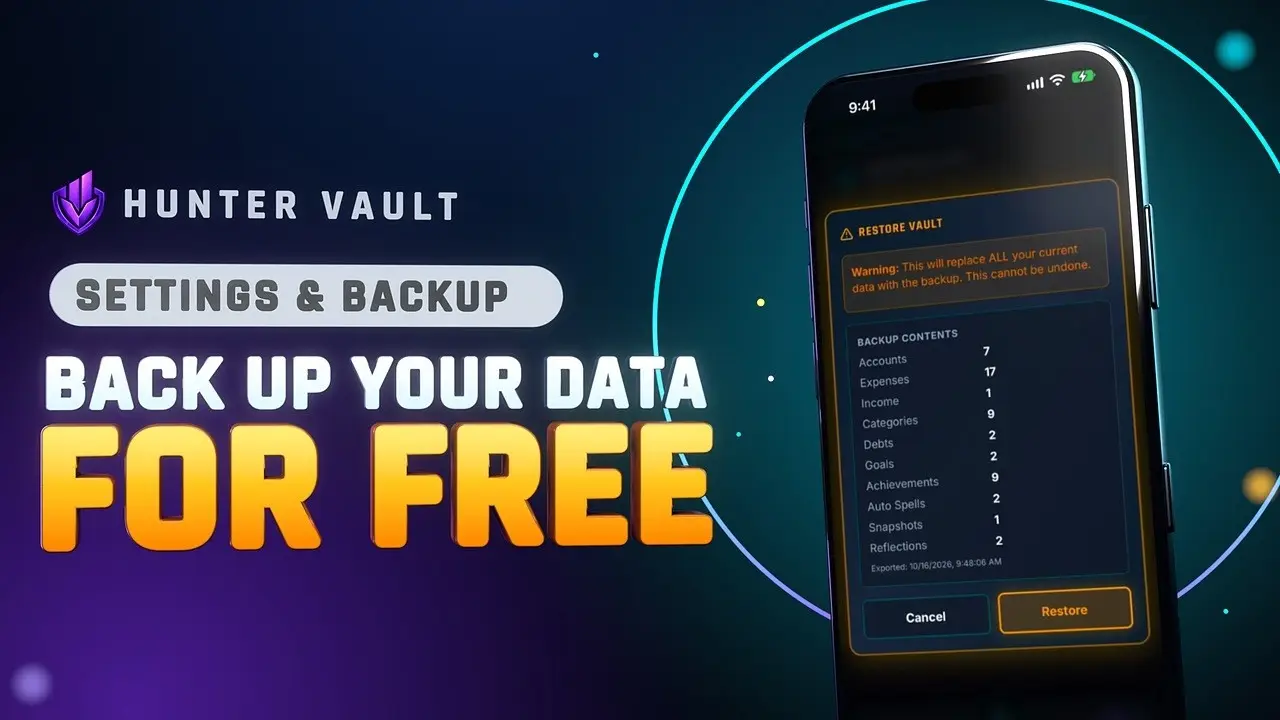
Back up Hunter Vault for free: export your data as one backup file, keep it in Files or a cloud drive, and restore it on this phone or a new one.
A quick tour of Hunter Vault's Settings: change the language, set the daily reminder to log your spending, and see what Reset all data erases.
New videos go up on the YouTube channel first. Prefer reading? Start with your first 7 days in Hunter Vault or browse every feature.
Hunter Vault is free to download on iPhone and Android, and budgeting never requires a subscription.