// gacha spending tracker

Gacha spending tracker:

know your real total

Hunter Vault is a budget app where you log every top-up, monthly pass and battle pass in real money, count it against one monthly gacha budget, and earn XP for it. The gems stop hiding what you've spent.

  • Free to start
  • No account needed
  • Works offline
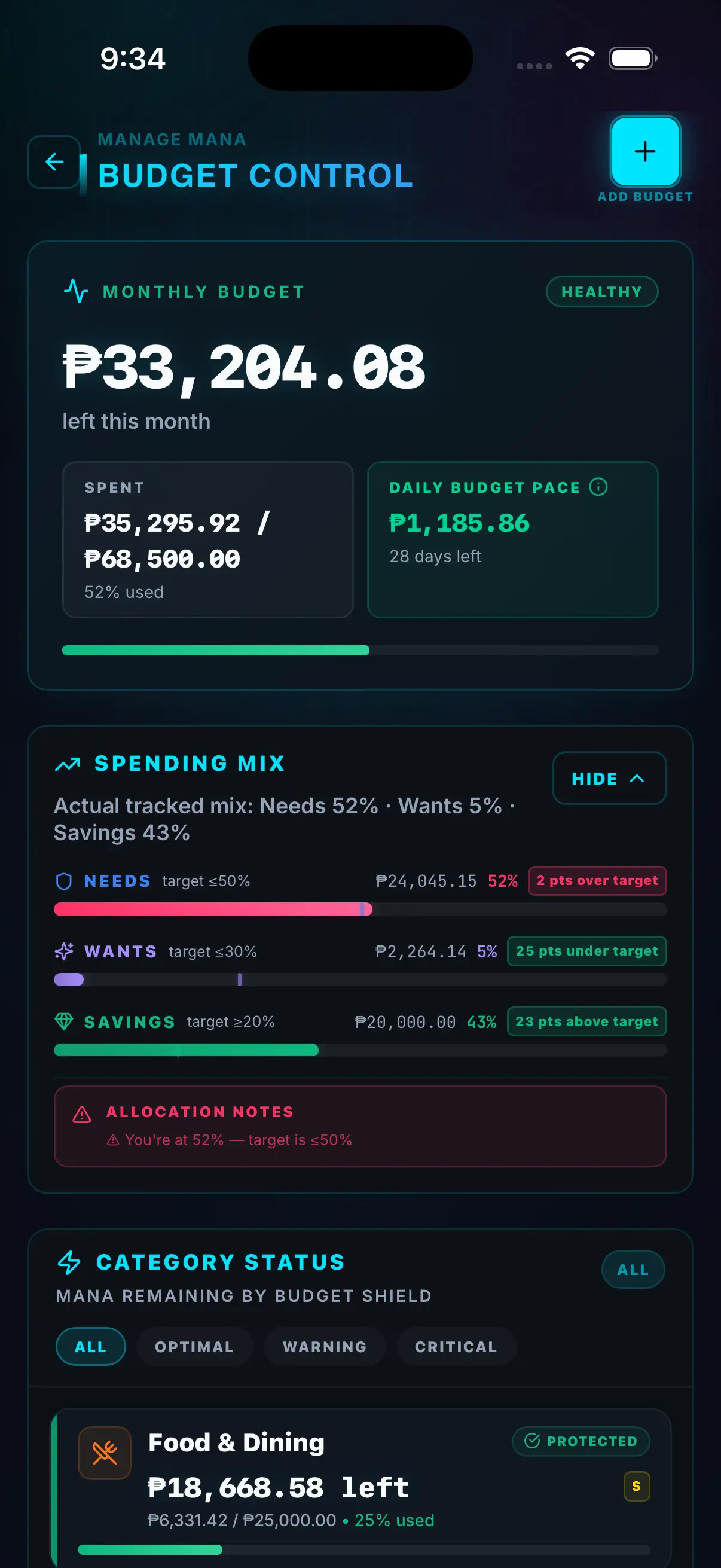
Hunter Vault budget control screen showing money left this month, daily budget pace and each budget's status
// the quick answer

Track gacha in money, not gems

Hunter Vault is our own budgeting app, and it tracks gacha in money: you log each real-money purchase, in your currency, under one Gacha budget with a monthly limit. Each game gets its own subcategory, so you see the total and the split.

That works for every game, from Genshin Impact and Honkai: Star Rail to Solo Leveling: Arise, because it tracks your money, not your game account. It isn't a pull or pity tracker. It covers the part those tools leave out: what it all cost.

  • One monthly budget across every gacha game
  • Each game as its own subcategory
  • Monthly passes logged by a recurring entry
  • XP and streaks for keeping the log
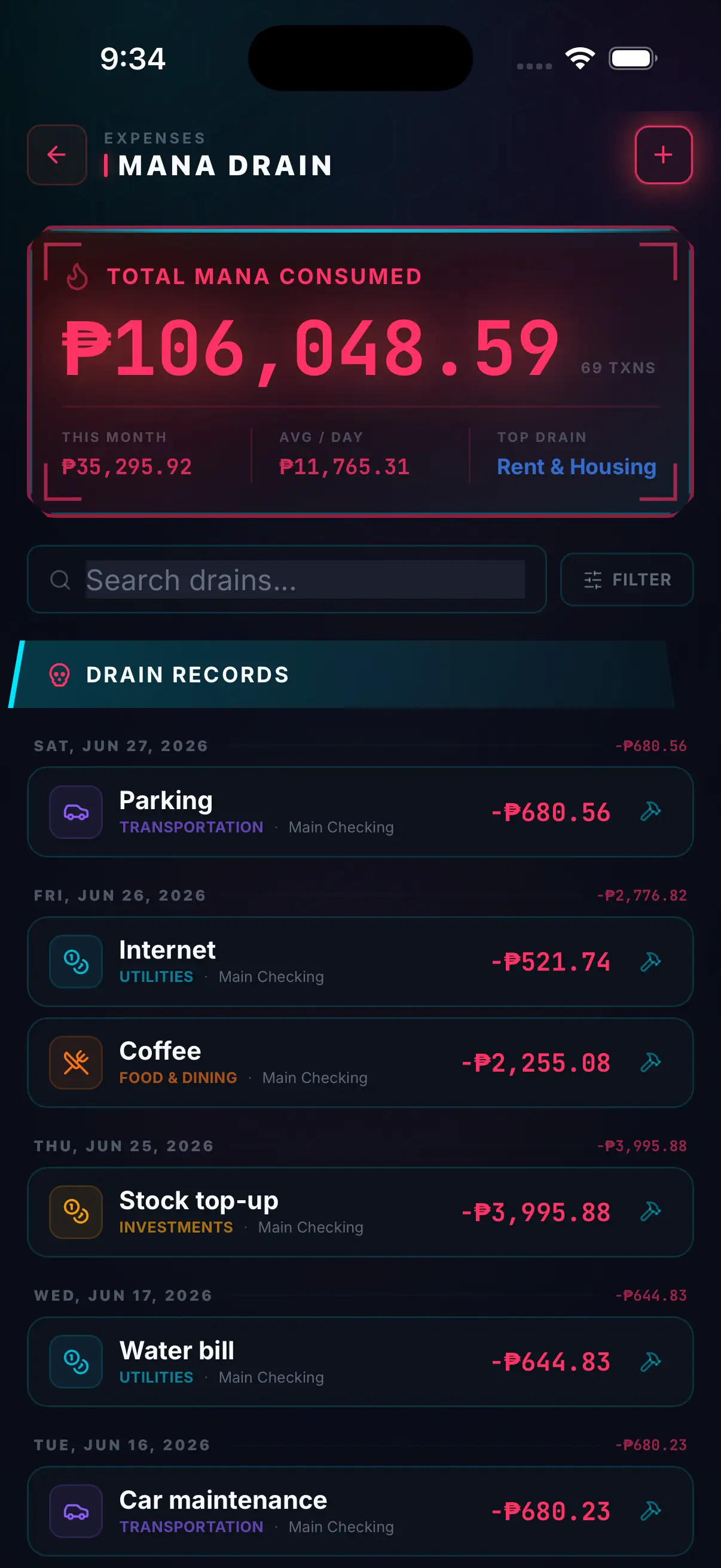
Hunter Vault expense list with a monthly total, a search bar and recent entries by category
// why it's hard to see

Gacha is built so the total is hard to see

Premium currency puts layers between you and the price: in many gacha games you buy one currency, convert it into another, then spend that on pulls. Limited banners add a deadline, and pity counters make the next pull feel like the one that pays off. Losing track isn't a character flaw. The design makes it easy.

Research backs up why the total is worth watching. Gacha pulls are a form of loot box, and a 2018 survey of 7,422 gamers found that the more people spent on loot boxes, the more severe their problem-gambling symptoms tended to be, a stronger link than for other in-game purchases (Zendle & Cairns, PLOS ONE). If spending ever feels out of your control, that's a reason to talk to someone, not just to budget harder. Services like GambleAware (Great Britain) or a local equivalent offer free, confidential support.

  • Currency layers hide the price
  • Limited banners add a deadline
  • Pity makes the next pull feel safer
  • Small top-ups don't feel like spending
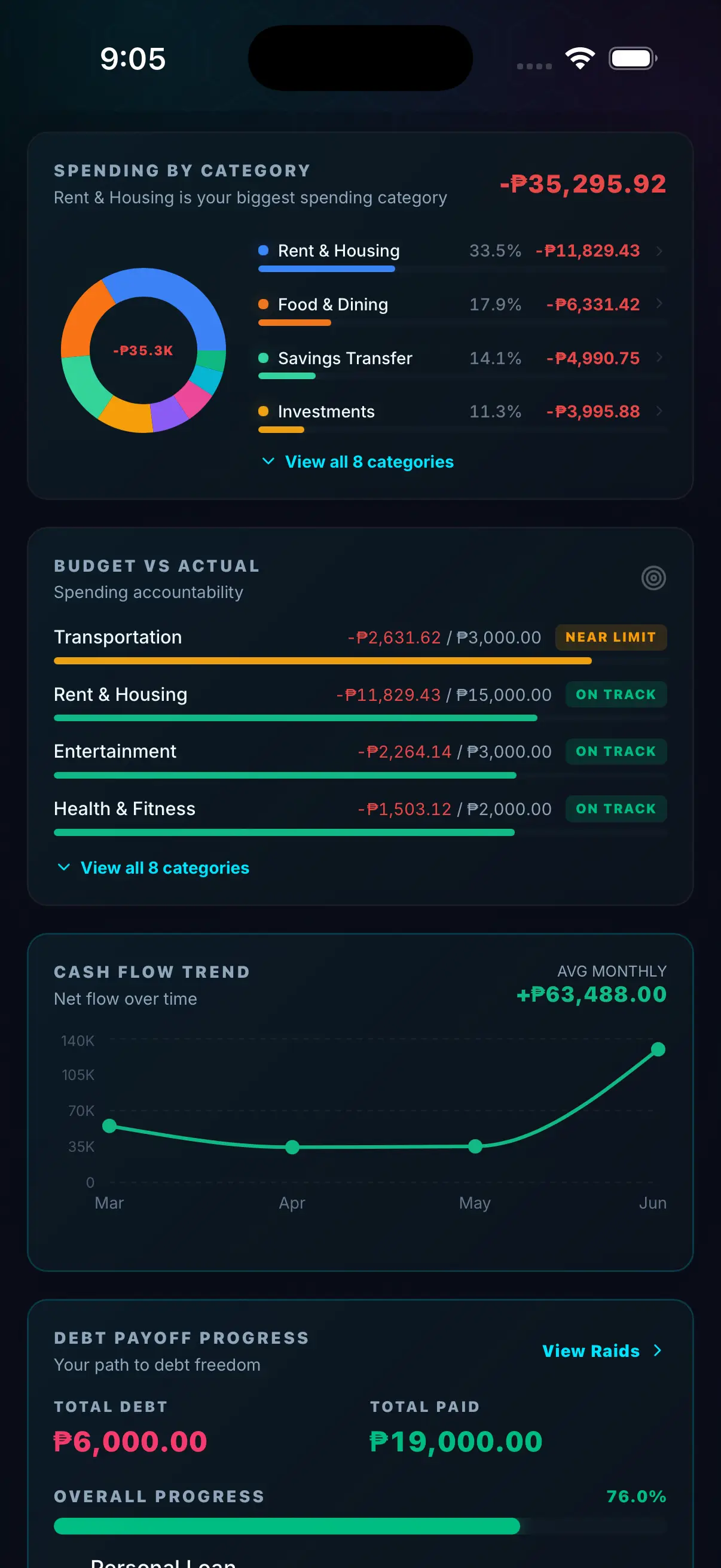
Hunter Vault reports screen with spending by category and a budget-versus-actual list marking budgets near limit or on track
// your total so far

Find what you've already spent on gacha

Your app store already keeps the real-money record. Here's where it lives.

  1. Android: Google Play

    In the Play Store app, tap your profile icon, then Payments & subscriptions → Budget & history. On a computer, go to play.google.com, open your profile, then Payments & subscriptions → Budget & order history. In-app purchases are listed with dates and amounts. (Google Play Help)

  2. iPhone and iPad: App Store

    Open Settings → your name → Media & Purchases → View Account → Purchase History. It includes in-app purchases. The list starts on the last 90 days of paid items, so widen the date range to see further back. (Apple Support)

  3. Your bank or card statement

    Store charges show up on your statement too, which helps if you top up from more than one account. Export a CSV from your bank and bring it into Hunter Vault with Smart Import. CSV import is free and processed on your device.

  4. Add it up once

    Enter your rough monthly amount in the gacha spending calculator, or list each purchase, to see what your spending adds up to over a year. That number is your starting point, not a verdict.

// from here on

Set up a gacha budget that holds

Four steps, done once. After that, each top-up is one short entry.

  1. Pick your monthly gacha number before the banner

    Create a Gacha budget in Budget Control and set a monthly limit. Decide it on a calm day, using what’s left after bills and savings, not halfway through a limited banner. The budget switches to near-limit at 90% spent.

  2. Log every top-up in real money, one subcategory per game

    Log the price you paid in your own currency, not the gems, and file it under a subcategory for the game. You can add one right from the expense screen. One budget covers every game, so a top-up in one can’t hide behind another, and the breakdown shows which game took the most.

  3. Put your monthly pass on repeat

    If you buy a 30-day pass every month, like Genshin’s Blessing of the Welkin Moon or Honkai: Star Rail’s Express Supply Pass, add it as a recurring entry so it logs itself and counts toward the budget (the free tier includes 3).

  4. Check Safe-to-Spend before you pull

    Before a new banner, open Safe-to-Spend. It subtracts what’s already set aside for bills, savings, debt and a buffer from your balance, so you know whether that ten-pull fits.

// in terms you already use

Gacha habits, translated into Hunter Vault

In the gameIn Hunter Vault
Pity counter Your Gacha budget’s progress bar: what’s spent this month, what’s left, and when you hit near-limit.
Monthly pass A recurring entry that logs itself each cycle.
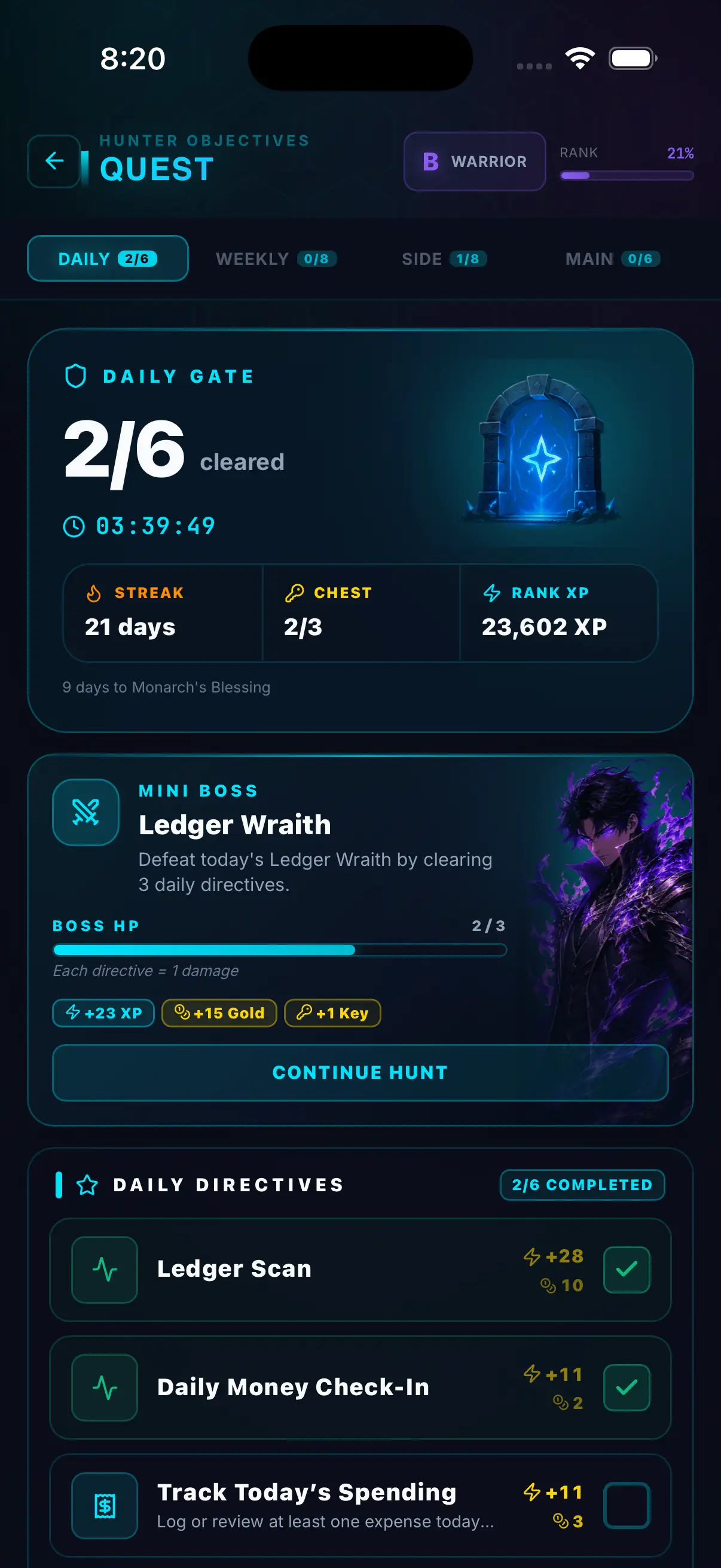
Daily commissions Daily quests and a check-in streak, paid out in XP for keeping your log up to date.
Limited-banner FOMO Safe-to-Spend: one number that says whether this banner fits after bills and savings.
Saving currency for a banner A savings goal with a target and deadline, if you’d rather save real money for a planned banner than top up on impulse.
A free-to-play stretch Optional no-spend days (days you skip non-essential spending, top-ups included) and check-in streaks, so restraint shows up as progress.
// honest limits

What Hunter Vault doesn't do

It doesn't track pulls, pity or wish history

It tracks money only. Pair it with a wish-history tracker if you want pity counts.

It doesn't connect to game accounts or app stores

You log top-ups yourself, or import a bank CSV for free.

No per-game limits

Subcategories show what each game cost, but the monthly limit and the in-app near-limit status apply to the Gacha budget as a whole. Budgets don't send push notifications.

It won't block a purchase

For a hard stop, use your phone's purchase controls. The FAQ below shows where they are.

// questions

Frequently asked questions

No. It tracks real money, not in-game currency or pull history. Use a wish-history tracker if you want pity counts, and Hunter Vault for what those pulls cost you.

All of them, because you log the money instead of connecting to a game account. That includes Genshin Impact, Honkai: Star Rail, Zenless Zone Zero, Wuthering Waves, Solo Leveling: Arise, Fate/Grand Order and any other game you top up in.

Check your app store purchase history. On Android, open the Play Store, tap your profile icon, then Payments & subscriptions, then Budget & history. On iPhone, open Settings, tap your name, then Media & Purchases, View Account and Purchase History. Both list in-app purchases with dates and amounts.

No. It shows you the number and the decision stays yours. For a hard stop on iPhone, Screen Time can turn off in-app purchases: Settings, Screen Time, Content & Privacy Restrictions, iTunes & App Store Purchases, In-app Purchases, Don't Allow. Google Play lets you set a purchase budget that sends alerts, but it doesn't block purchases.

There's no safe universal number. Fund bills, savings and debt payments first, then pick one fixed monthly gacha amount from what's left and hold it across every game you play. The gacha spending calculator shows what your current pace adds up to over a year.

Core budgeting is free and has no ads. The free tier covers up to 8 budgets, 3 recurring entries, 5 accounts, 3 debts and 2 savings goals. Hunter Elite is a one-time $15.99 upgrade that removes those limits. Budgeting never requires a subscription; the optional subscriptions are Hunter Pass (for the Huntee AI assistant and Smart Import from screenshots and PDFs) and cloud sync.

No. Hunter Vault is an independent app. It's RPG-inspired and anime-inspired in style only, and it has no affiliation, partnership or endorsement with any anime, game, studio or publisher.

// your first quest

Your first quest: log your last top-up in real money.

Download Hunter Vault free on iOS and Android. Set your gacha budget once, log each top-up in real money, and earn XP for keeping the log. No account needed to start.

  • Free to start
  • No account needed
  • Works offline
Try the gacha spending calculator →
Hunter Vault quest screen showing daily money tasks, a streak counter and a daily mini boss