// expense tracker

Expense tracking that feels

like leveling up

Most expense trackers are spreadsheets in disguise. Hunter Vault rewards the logging habit with XP, so you actually keep doing it — and finally see where your money goes.

  • Free to start
  • No account needed
  • Works offline
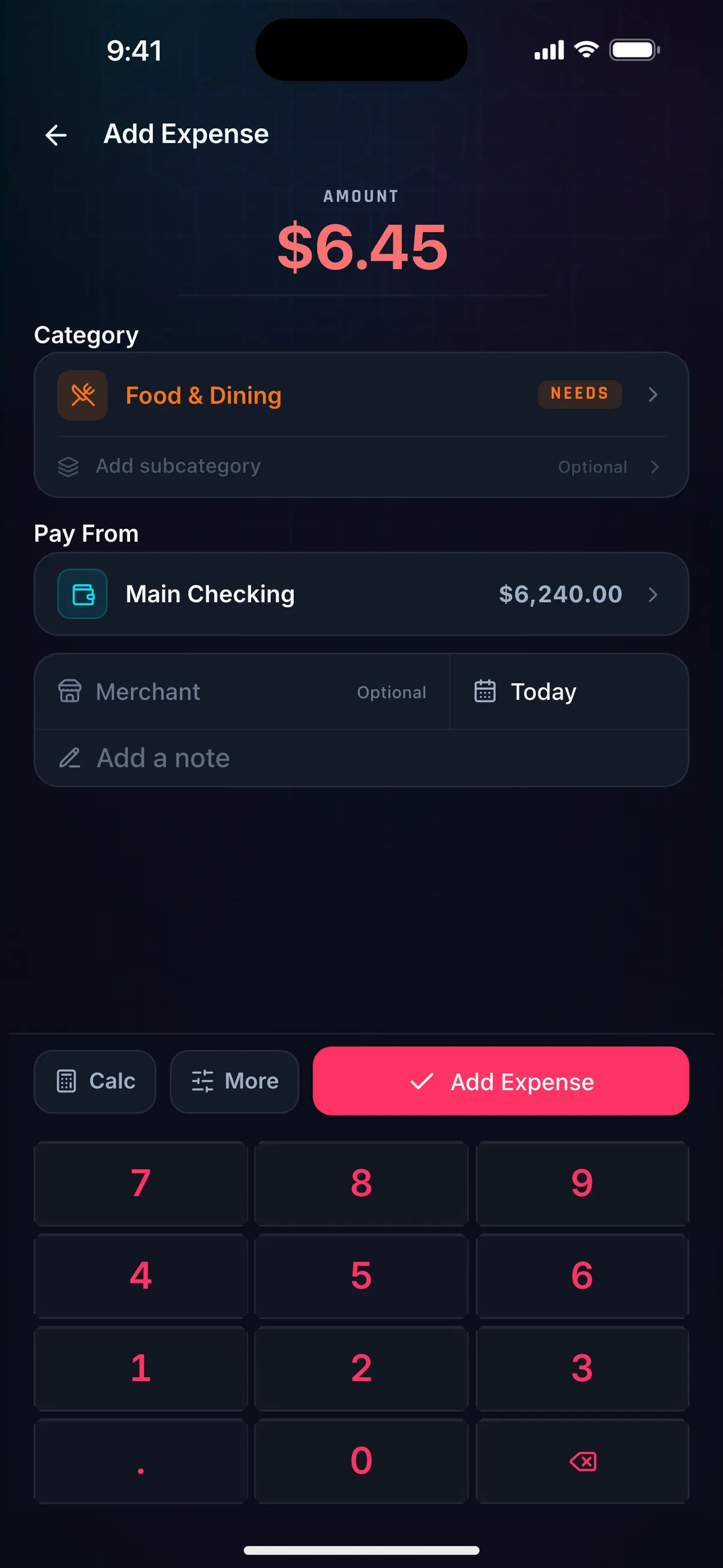
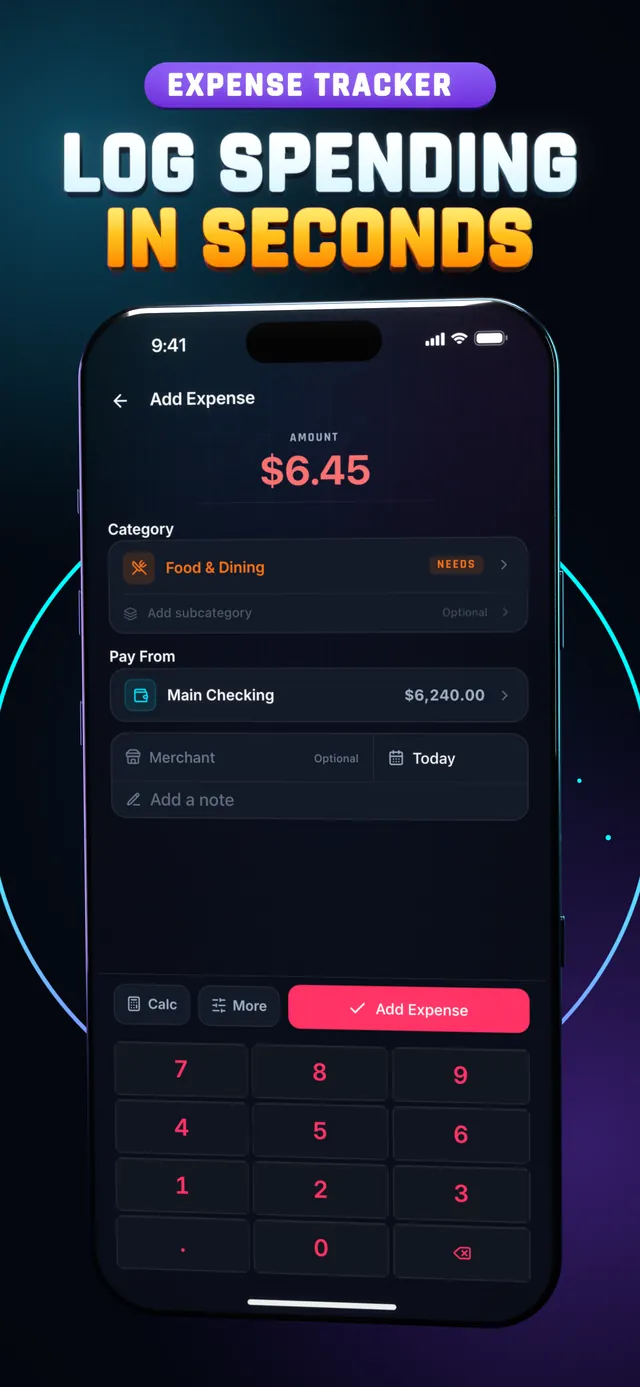
Hunter Vault Add Expense screen logging $6.45 for Food & Dining on the number keypad
// core features

Everything you need to see where it goes

Simple, fast, and built around the habit — not the spreadsheet.

Quick log

Add an expense in a couple of taps. Amount, category, done. No lengthy forms, no friction — just the habit.

  • Log in seconds, not minutes
  • Minimal taps to record
  • Low barrier = higher follow-through
Fast entry

Categories

Sort spending into clear buckets — food, transport, subscriptions, whatever fits your life. See where each category is trending.

  • Organize expenses your way
  • Spot which buckets drain fastest
  • Compare categories over time
Organized

Notes

Add context to any entry so a mystery charge has a name. Useful when you review your history weeks later and wonder what that was.

  • Annotate any expense
  • No more guessing what a charge was
  • Context makes patterns clearer
Context

History

Scroll your full spending timeline. Everything you've logged in one place — searchable, sortable, and fully yours.

  • Complete record of every expense
  • Filter by category or date
  • Stored privately on your device
Full timeline

Spending visibility

Spot the patterns draining your budget. Turn your log into clear reports, then set category limits — when you can see everything, the solution usually becomes obvious.

  • See totals per category at a glance
  • Patterns surface after a few weeks
  • Visibility is the first step to control
Clear picture

// watch it in action

Log your first expense in 2 minutes

Step 2 of the Hunter Vault video tutorial: Quick Log, a category, the account it's paid from and the store name.

How to Log an Expense in Hunter Vault Chapters and transcript →

More how-to videos: How to Find Any TransactionHow to Attach Receipts to Your ExpensesHow to Record a Refund or ReturnHow to Split a Bill and Track Who Owes You

// the real problem

Knowing isn't the hard part. Staying consistent is.

It's easy to feel like you're not spending much — until you check your balance. The problem usually isn't carelessness, it's that you can't see the pattern. And most trackers are too boring to keep up with long enough to find one.

  • Boring trackers get abandoned fast
  • Patterns only appear with consistent data
  • XP makes the habit feel like progress
  • Streaks turn a habit into a ritual
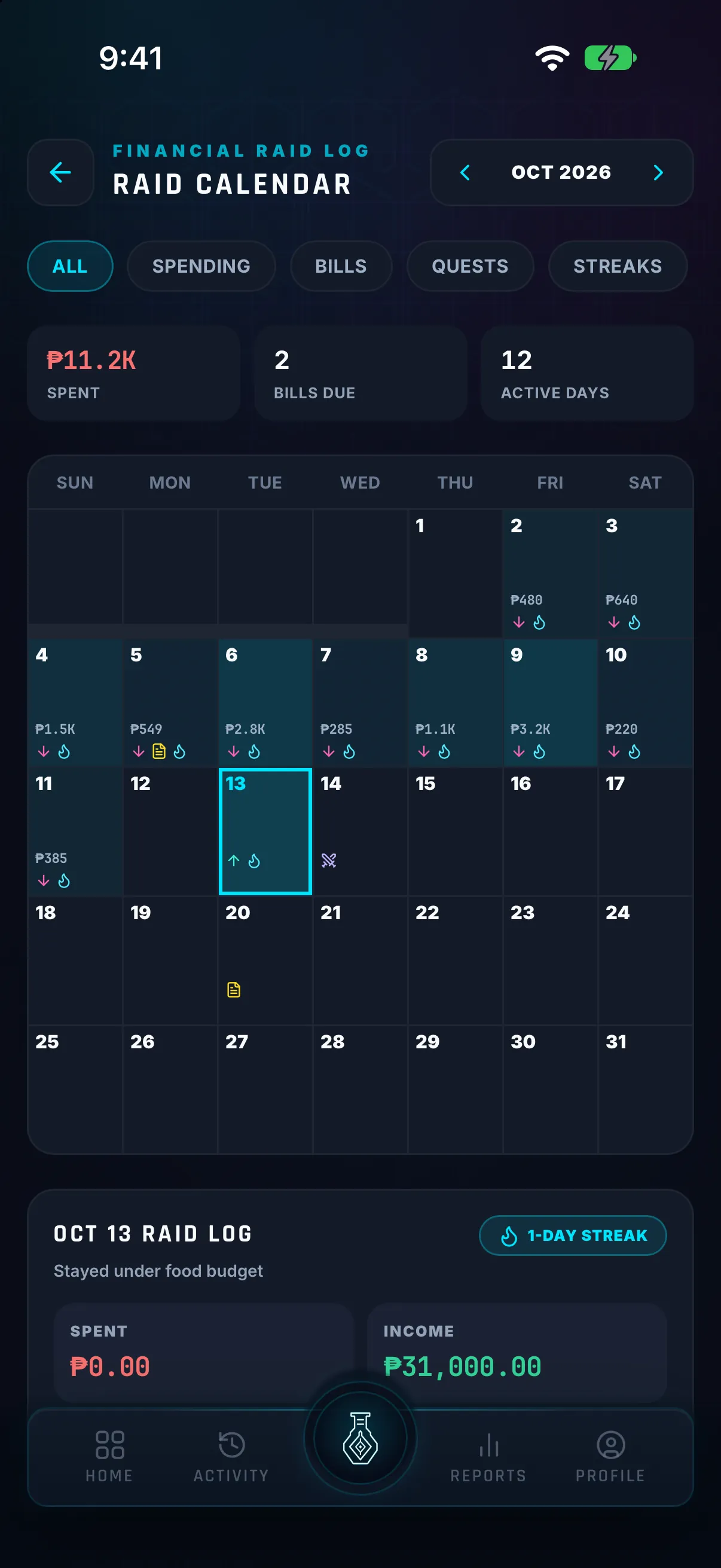
Hunter Vault Raid Calendar showing a month of daily spending with bill and streak markers, and today's raid log
// what it is

A tracker you'll actually use

Hunter Vault's expense tracker lets you log spending in seconds, sort it into categories, and scroll your full history — with daily quests that pay XP and a streak that keeps the habit going.

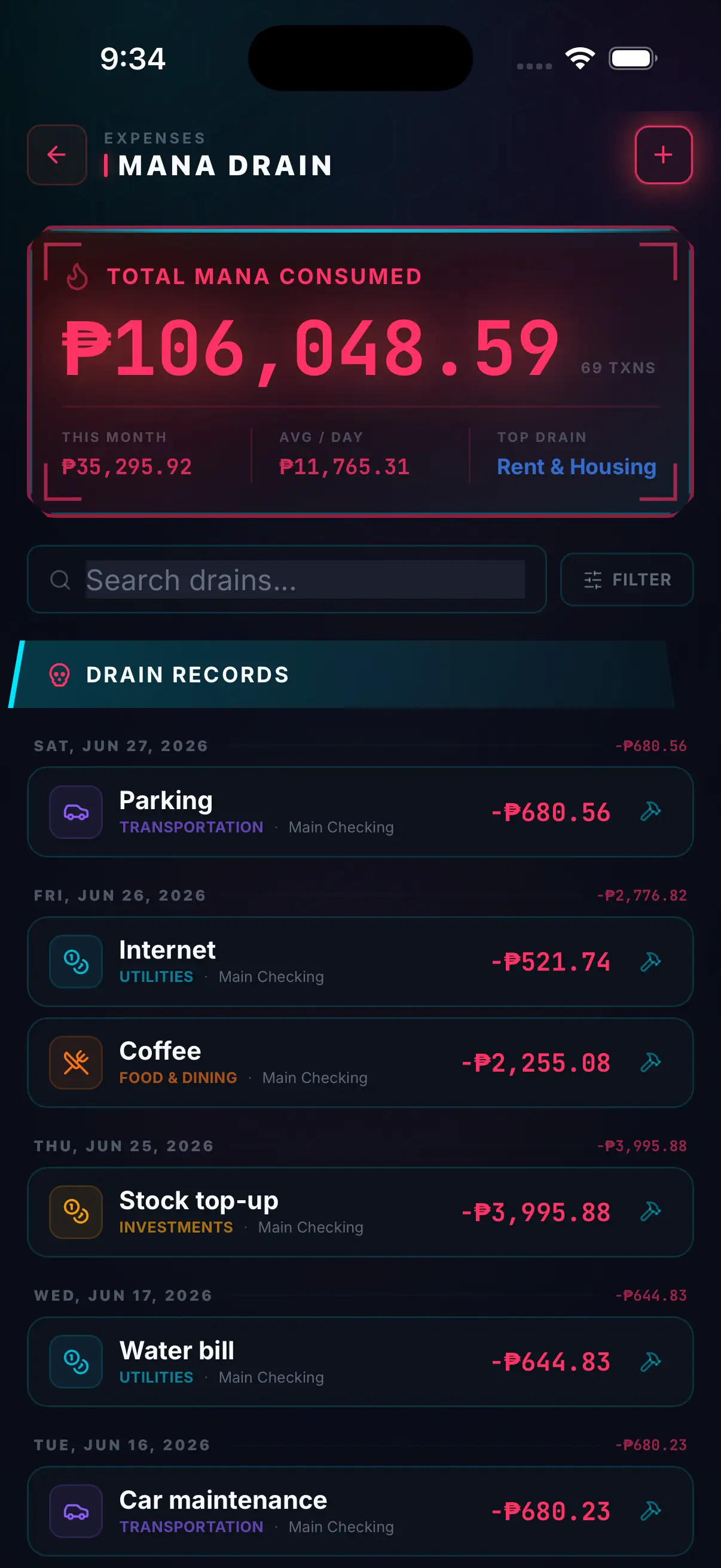
Hunter Vault transaction history with total spending, search and filters, and expenses grouped by date
// the gamified twist

Logging stops being admin. It becomes progress.

Logging today's spending counts toward a daily quest, and quests pay XP. Daily logging builds a streak. Consistency raises your rank. It's the same financial data — but now the act of recording it is its own reward. See the full gamification system →

  • Logging today counts toward a daily quest
  • Daily logging builds your streak
  • Consistency raises your rank
  • Instant reward, not delayed guilt
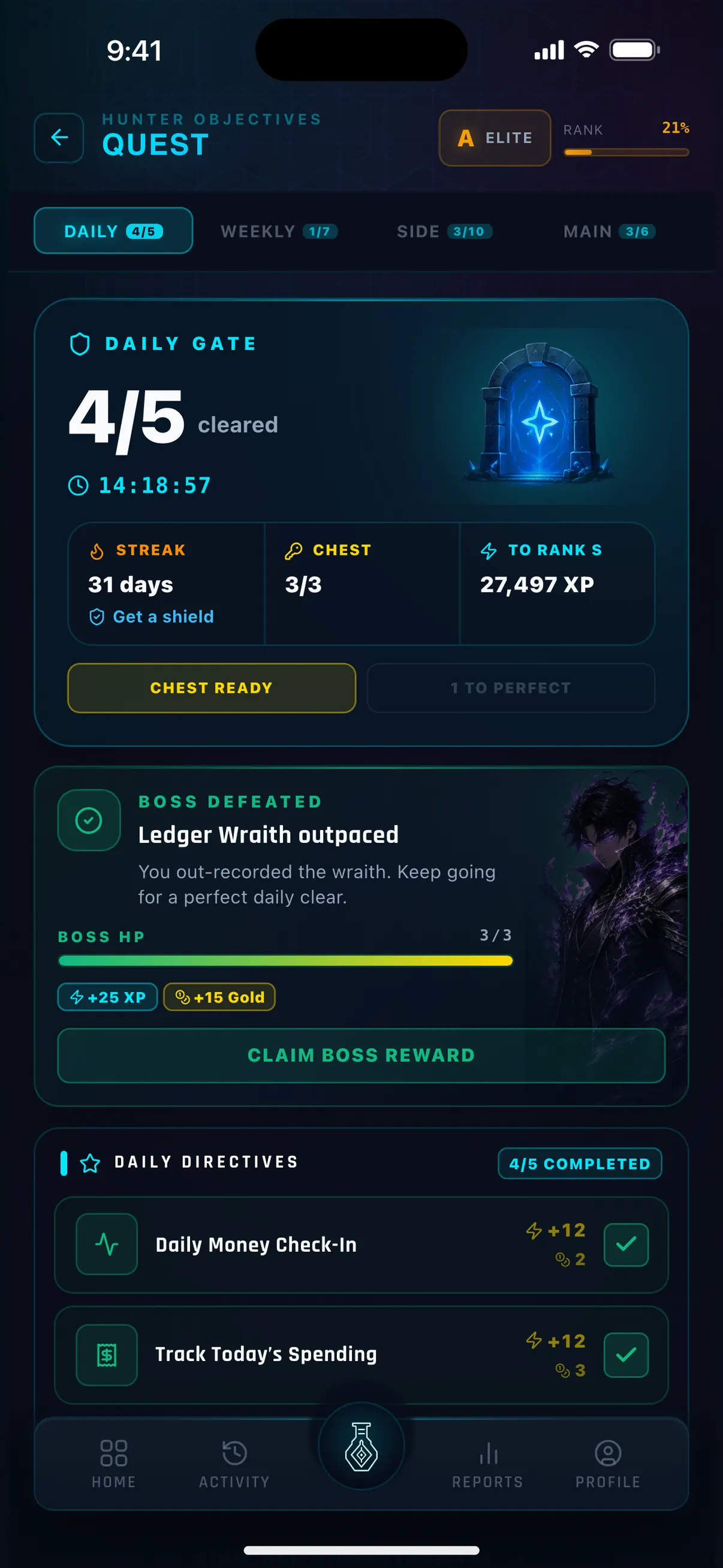
Hunter Vault Quest log with the Daily Gate 4 of 5 cleared and the daily boss defeated
// why it works

The science is simple

You can't control what you can't see. Visibility comes before control — and you only get visibility from a habit you actually keep. The problem with traditional trackers is that the reward (better finances) is weeks or months away, while the cost (logging every purchase) is immediate. Hunter Vault closes that gap by giving you an instant reward — XP and a streak — every single time you log. Small, immediate wins keep the behavior alive long enough to surface the patterns that matter.

  • Visibility before control
  • Instant rewards sustain habits
  • Patterns emerge from consistent data
  • Behavior change, not willpower
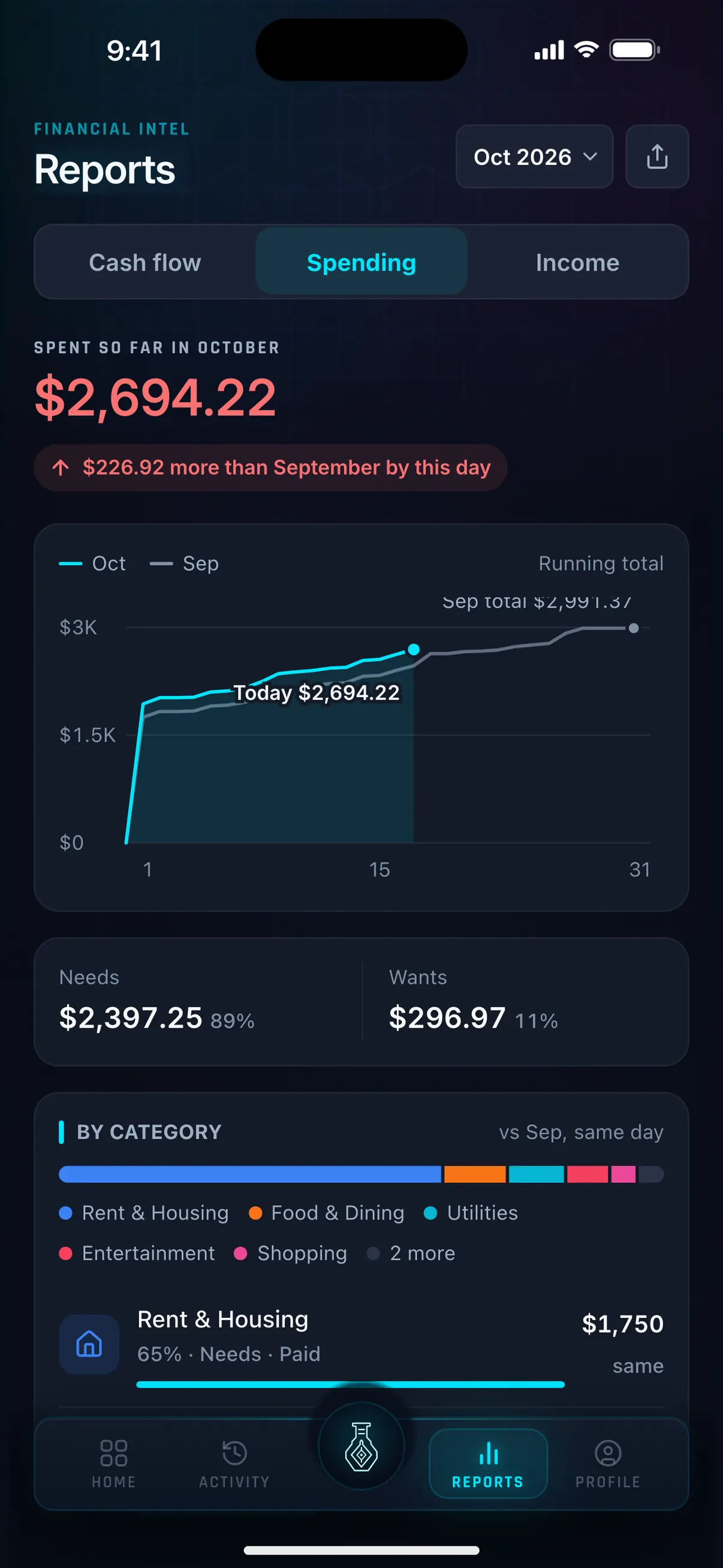
Hunter Vault Reports Spending tab: $2,694.22 spent so far in October, $226.92 more than September by this day, split into Needs and Wants

No account required, and no bank login. Hunter Vault is a manual tracker by design, so your spending history stays on your phone unless you turn on an online feature. Learn more about privacy →

// private by default

Your data stays on your device.

Never linked to your bank

Works offline

No sign-up needed

Private by default

// questions

Frequently asked questions

No. You log expenses yourself, or import a CSV you export from your bank, so Hunter Vault never asks for your bank login. Your data stays on your device unless you turn on an online feature like cloud sync, and no account is required.

Yes, free to start. Core expense tracking, categories, history, and the gamification system are all free. Awakened Hunter unlocks additional premium features.

Yes. Logging, budgets, quests and reports all work fully offline. Only the optional online features (cloud sync, the Huntee AI assistant, and Smart Import from screenshots or PDFs) need a connection.

Most expense trackers are spreadsheets in disguise. Hunter Vault rewards the habit of logging with XP from daily quests, a streak and a rising rank — so the habit sticks instead of dying in week two.

No. Log what matters to you. Even partial tracking gives you patterns you didn't have before. Logging counts toward your daily quests, so you're rewarded for showing up — not punished for imperfection.

// your first quest

Your first quest is simple: log one expense.

Download Hunter Vault free on iOS and Android. No account, no bank sync — just you, your spending, and the XP waiting on the other side of that first log.

  • Free to start
  • No account needed
  • Works offline
See all features →
Hunter Vault Add Expense screen with the number keypad, under the headline Log spending in seconds