// private offline budgeting

Budgeting that never

touches your bank

Most finance apps want your bank login. Hunter Vault doesn't. Everything stays on your device — no account, no connection, no data leaving your phone.

  • No account
  • No bank login
  • Works fully offline
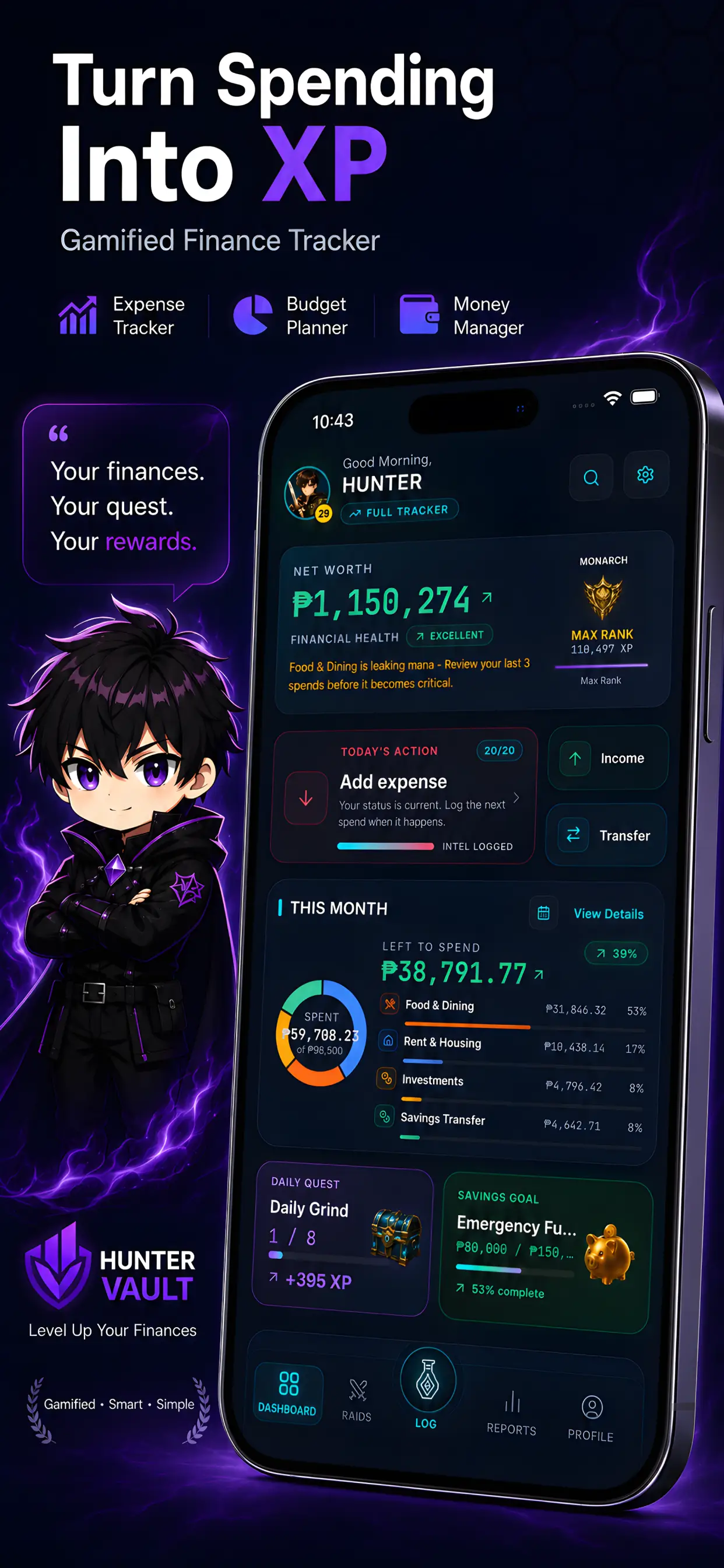
Hunter Vault private, offline budgeting app screen
// what makes it private

The specifics, not the marketing

Privacy claims are only worth something when they're specific. Here's exactly what Hunter Vault does and doesn't do.

Local storage

Your data lives on your device — not on a company server. There is no cloud component, no sync, and no server that could be breached to expose your data.

  • Stored on-device, nowhere else
  • No server to breach
  • Offline by architecture, not just policy
On-device

No account required

No sign-up, no email, no password to leak. Open the app and start tracking. Nothing about you is collected because nothing is asked for.

  • Zero sign-up friction
  • No email or personal info needed
  • Nothing to expose if you never gave it
No account

No bank login

Hunter Vault never asks for, stores, or transmits your bank credentials. There is no bank connection. You log transactions yourself — which is the entire reason your data stays private.

  • No bank credentials, ever
  • No read-only bank access either
  • Manual logging = complete privacy
No bank login

Works offline

Track anywhere — no internet connection needed. Log your spending, view reports, manage budgets — all fully functional with zero connectivity.

  • Fully functional with no internet
  • No "syncing" delays or failures
  • Works on planes, in basements, anywhere
Fully offline

Your data, your control

Export to CSV and take it wherever you need it. Delete it whenever you want. You own the data — Hunter Vault is just the tool you use to organize it.

  • CSV export whenever you need it
  • Delete data at any time
  • No data held hostage behind a subscription
You own it

// the real problem

To use most budgeting apps, you hand over your bank login and trust a company with your entire financial life.

After every data breach in the news, that's a big ask. Plenty of people quietly want a simpler answer: track my money without giving anyone access to it. That's not paranoia — it's a reasonable expectation that your financial data is yours.

  • Bank logins shared with third parties
  • No login ever required here
  • Your data lives on your device
  • No breach can expose what doesn't exist
Hunter Vault on-device data, no account needed
// what it is

A private, offline budgeting app — by design, not by policy

Hunter Vault is a private, offline budgeting app. Your data is stored locally on your device — you don't need to create an account, and it never connects to your bank. Your financial information stays with you.

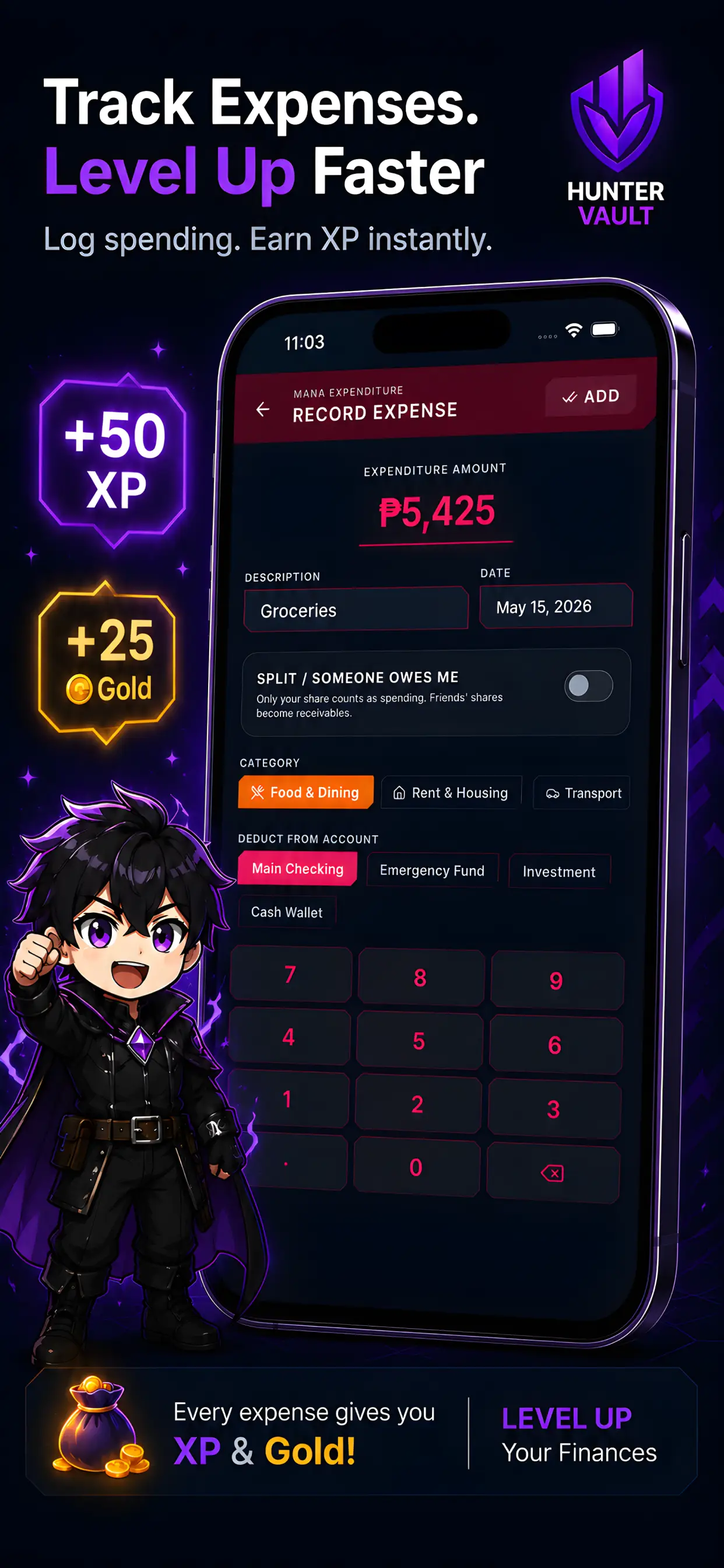
Hunter Vault offline expense tracking screen
// why this matters

Bank-syncing apps are convenient. Convenience has a cost.

When you hand over your bank credentials to a third-party app, your full transaction history and login details sit with that company — and every company that has your data is a company that could breach it, sell it, or shut down with it. Manual, on-device tracking trades a little automation for something a lot of people value more: knowing their money data isn't anywhere it could be exposed.

  • Bank-sync = credentials with a third party
  • No third party = no exposure risk
  • Local data can't be breached remotely
  • Privacy by architecture
Hunter Vault private, offline budgeting app screen
// the honest trade-off

Let's be straight: you log manually. That's the trade.

Because nothing syncs, you log your spending yourself — there's no automatic bank feed. If you want hands-off automation, a bank-connected app will suit you better. If you'd rather keep your financial life entirely your own, that's exactly what Hunter Vault is built for. And because gamified tracking makes logging fast and rewarding, doing it manually feels less like a chore than you'd expect. Related reading: why most budgeting apps don't work.

  • Manual logging = the privacy price
  • Built to make manual logging fast
  • Gamification keeps the habit alive
  • The right trade-off for the right person
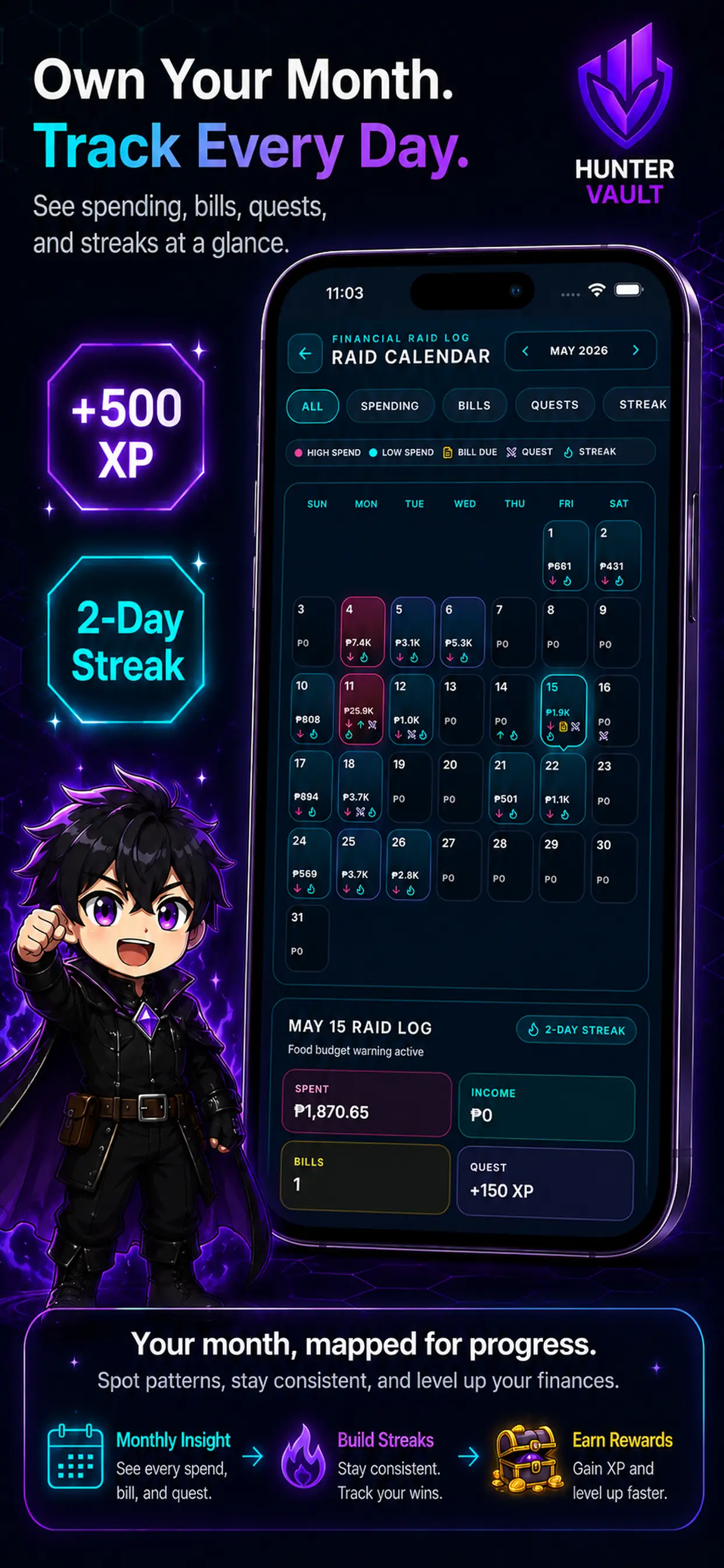
Hunter Vault on-device data, no account needed
// questions

Frequently asked questions

No, never. You log transactions yourself, which is exactly why nothing leaves your device. There is no bank connection, no credential input, and no sync of any kind.

No. You can open the app and start tracking immediately — no sign-up, no email, no password. Nothing is required beyond downloading the app.

Locally on your device. Hunter Vault does not use cloud storage or send data to any server. Your financial data stays on your phone.

Yes. Hunter Vault is built to work fully offline. No internet connection is needed to log, view, report, or manage your data.

Yes. You can export your data to CSV and take it wherever you need it. You can also delete your data from the app at any time. You own it.

No. Hunter Vault does not collect, transmit, sell, or share your financial data. Because the app is fully offline by design, there is no data to share.

You log your spending manually. That's the deliberate trade for full privacy. The app is built to make manual logging fast enough that it stays sustainable — but there's no automatic import. If you want a hands-off bank feed, a bank-connected app will suit you better. If you'd rather keep your financial life entirely your own, this is built for that.

// your next move

Track your money without handing over your bank.

Download Hunter Vault free on iOS and Android — no account needed, no bank login, fully offline.

  • No account
  • No bank login
  • Works fully offline
See all features →
Hunter Vault offline expense tracking screen