Best Offline Budgeting Apps in 2026 (No Account, No Cloud Required)
Offline means more than "no bank sync": these apps work with no account, no cloud, and no connection — your data never leaves the device unless you say so. That matters on planes, abroad, and for anyone who simply refuses to rent their financial life from a server. This guide ranks genuinely offline-capable apps by method, price, and how little they demand from you. (For cloud apps that just skip bank linking, see apps without bank linking instead.)
On this page
Our picks for different budgeters
Side-by-side comparison
| App | Best for | Price | Bank sync | Manual entry | Debt tracking | Savings goals | Platforms |
|---|---|---|---|---|---|---|---|
 Hunter Vault Our app | Full gamified budget, works account-free | Free (one-time Awakened Hunter upgrade; optional subscriptions) | No | Yes | Yes | Yes | iOS, Android |
 Actual Budget | Free self-hosted envelopes | Free (self-hosted sync ~$2/mo) | Optional (SimpleFIN) | Yes | Yes | Yes | Web, Desktop, Mobile |
 Fudget | Simplest income-minus-expenses list | Free (Plus $19.99/yr) | No | Yes | No | Limited | iOS, Android |
 Monefy | Fast category-tap logging | Free tier (Premium $59.99) | No | Yes | No | Limited | iOS, Android |
 Aviary | Habit-learning envelopes (India-first) | Free 30 days, then ₹199/mo (India) | No | Yes | No | Limited | Android, Web |
Hunter Vault Our app Manual entry, debt & savings
Actual Budget Manual entry, debt & savings
Fudget Manual entry, debt & savings
Monefy Manual entry, debt & savings
Aviary Manual entry, debt & savings
Table last reviewed November 2026. Verify current pricing and features with each app's website — details may change.
How we evaluated these apps
We score every app against the same criteria, so the recommendations stay consistent and comparable.
How quickly you can set up a budget, log spending, and understand where your money goes.
Budgeting flexibility, expense-tracking quality, debt tracking, and savings-goal features.
Bank-sync availability and reliability, the manual-entry experience, and CSV / import support.
Pricing structure, free tiers, and whether paid plans are worth it for most people.
How each app handles your financial data, and whether bank linking is required at all.
iOS / Android / web availability, currency and localization support, and who the app is built for.
App-by-app breakdown
Hunter Vault Our app
Best for People who want a complete budget with no account and no cloud
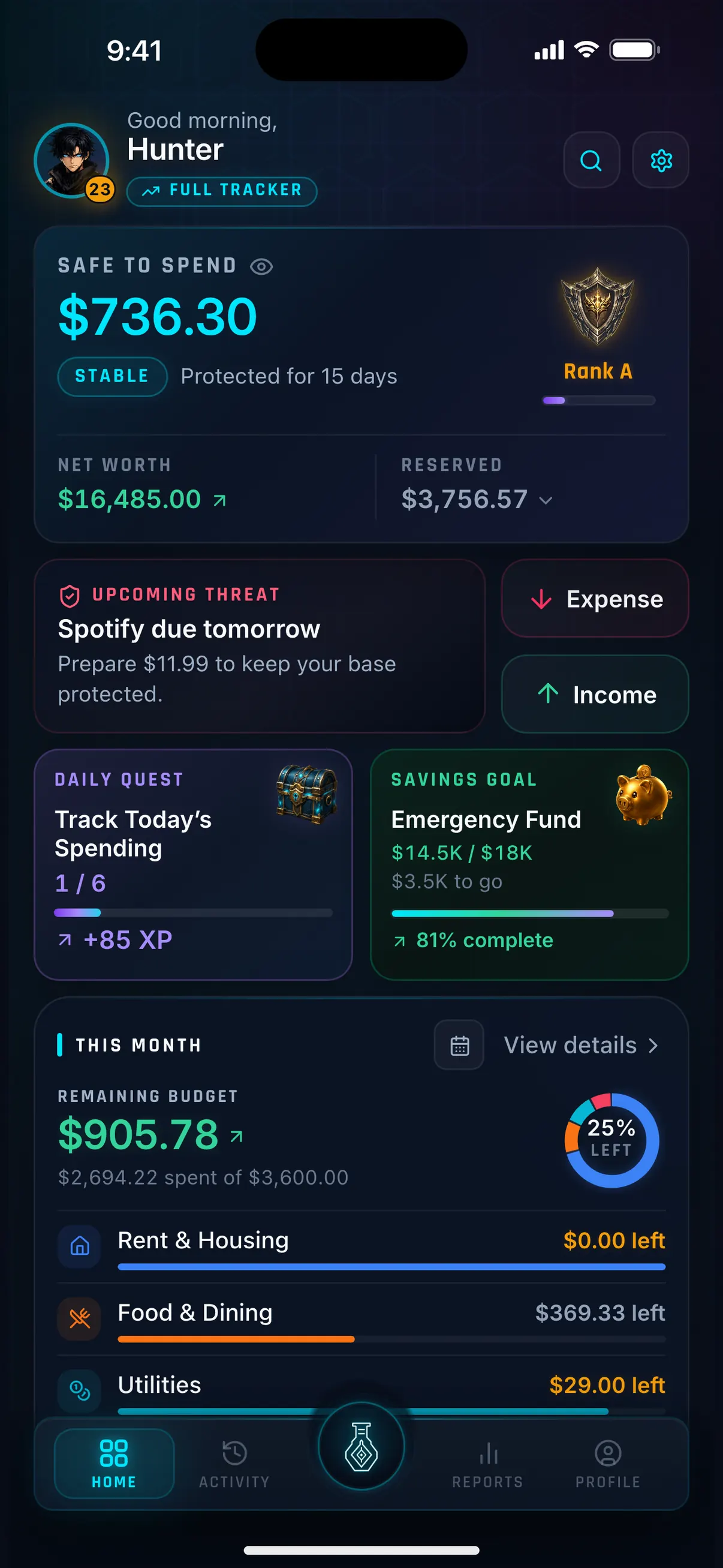
Hunter Vault runs fully without an account: budgets, bills, debt tracking, savings goals, and the gamified layer (quests, XP, ranks, streaks) all work on-device from the first launch. Cloud sync exists but is optional and paid — the core app never requires login, connection, or subscription. Free core covers 8 budgets, 3 recurring, 5 accounts, 3 debts, and 2 goals; Awakened Hunter is a one-time $15.99 purchase. The fullest offline budgeting experience on this page.
Why we like it
- Works with no account — install and budget
- Complete tools offline: budgets, bills, debt, goals
- Gamified habit layer works fully offline
- Budgeting never requires a subscription
- Optional cloud sync only if you want it
Limitations
- Mobile-first — no web entry interface
- No bank sync at all (by design)
- Free core has limits (removed by one-time purchase)
- Smaller community than mainstream rivals
- Gamification is not for every user
Key details
Actual Budget
Best for Technical users who want free envelopes on their own hardware
Actual Budget is free, open-source envelope budgeting that runs on your own server — your data physically lives where you put it. Sync across devices through your own hosting (self-hosted free, or rented from roughly $2/month). No accounts with a company, no telemetry business model, no subscription. The cost is expertise: you install, update, and back it up yourself. Desktop/web-centric rather than mobile-first.
Why we like it
- Free and open-source forever — zero vendor lock-in
- Data lives on hardware you control
- Real envelope budgeting with goals and reports
- Sync without any company account
- Active open-source community
Limitations
- You are the IT department — setup and upkeep on you
- Desktop/web-centric, weaker on phones
- No official support
- Optional bank sync is third-party and US-centric
- Overkill (and overwork) for casual budgeters
Key details
Fudget
Best for People who want the smallest possible offline tool
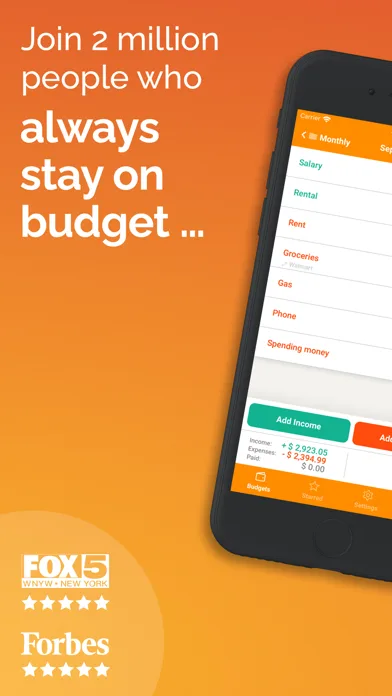
Fudget is a list: income at the top, expenses below, balance at the bottom. No accounts, no sync, no categories to configure, no connection needed — it barely qualifies as an app, which is the appeal. The free tier covers the core list; Plus is $19.99/year or $14.99/6 months (fudget.com, Nov 2026). No debt tracking, no goals to speak of, no math beyond arithmetic. For simple months, that is everything.
Why we like it
- Smallest, fastest budgeting tool here
- No account, no sync, no connection needed
- Free tier genuinely usable
- Plus is a cheap subscription ($19.99/yr)
- Zero learning curve
Limitations
- No debt tracking, minimal goals
- No categories, reports, or insights
- No sync — one device only unless you manage files
- Too bare for complex finances
- Easy to outgrow
Key details
Monefy
Best for Fast tap-to-log expense tracking, mostly offline
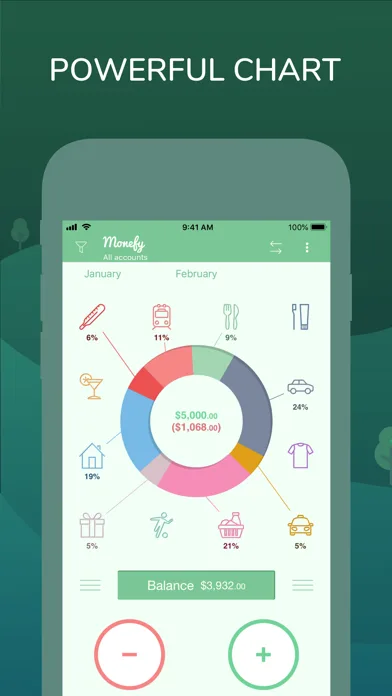
Monefy's interface is built for speed: tap a category, enter the amount, done. Multilingual, multi-currency, with Dropbox/Google Drive backup for users who want their own sync. The free tier covers core tracking; Premium is an auto-renewing subscription listed at $59.99 on the US App Store with the billing period unstated (Nov 2026) — verify the period before buying, and note long-time users remember a one-time purchase that no longer exists. Recent reviews complain about premium-restore and backup friction, so test backup on day one.
Why we like it
- Fastest category-tap logging interface
- Multi-currency and multilingual
- Bring-your-own backup via Drive/Dropbox
- No bank sync to configure or worry about
- Long track record, huge install base
Limitations
- Premium $59.99 on App Store with billing period unstated (was one-time)
- Recent reviews flag premium-restore and backup issues
- No debt tracking to speak of
- Minimal goals and planning
- Interface shows its age next to newer apps
Key details
Aviary
Best for Habit-learning envelope budgeting on Android and web (India-first)
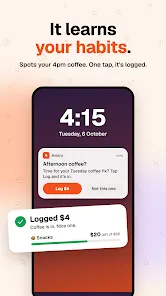
Aviary is an India-first envelope app that learns your spending habits and nudges a one-tap log — miss a day and you type what you remember, or upload bill screenshots it reads for you. No bank linking, no card required, export or delete everything any time. Android and web only; iPhone is on a waitlist, and pricing is India-anchored: free for 30 days, then ₹199/month (useaviary.com, Nov 2026). Young app with a thin track record — US and EU readers should treat it as a watchlist pick, not a default.
Why we like it
- No bank linking, no card required, no ads
- Habit-learning one-tap logging nudges
- Catch-up entry via typed text or bill uploads
- Export or delete everything any time
- Android + web coverage
Limitations
- India-first — ₹199/month after trial is steep for a minimalist
- No iOS app (waitlist only)
- Very new app — longevity unproven
- No debt tracking or deep goals
- Small user base, thin review history
Key details
Context and considerations
Offline vs no-bank-linking: know which you need
These overlap but are not the same:
Offline (this page): the app works with no account and no connection. Data stays on the device. Hunter Vault, Fudget, Monefy, and Actual Budget qualify — install and budget with airplane mode on.
No-bank-linking (different page): the app may use cloud accounts and sync, but never connects to your bank. Goodbudget, YNAB-with-manual-accounts, and several others qualify — they need internet but not your bank login. See apps without bank linking for those.
If your threat model is "no company should see my finances," you want this page. If it is only "no bank aggregator," the other page has more (and prettier) options. When in doubt, start here — you can always graduate to cloud convenience later.
Do offline budgeters ever need bank sync?
No pick on this page syncs with a bank — that is the entry criterion. Hunter Vault, Fudget, Monefy, and Aviary are manual-only; Actual Budget offers optional SimpleFIN sync you configure yourself.
The bridge for pragmatists is CSV import: download a statement from your bank, import it into Hunter Vault (free, processed on-device) or Actual Budget, and you get bulk entry without granting any company ongoing access. Monthly import plus daily manual logging covers most offline users completely — automation on your schedule, not a corporation's.
How to choose the right offline budgeting app
Match the app to your tolerance for setup:
"Full budget, zero setup, zero account": Hunter Vault — install and budget in a minute, gamified habit included.
"Free forever, my own server": Actual Budget — maximum ownership if you will run it.
"Smallest thing that works": Fudget — a list, a balance, nothing else.
"Fastest logging": Monefy — tap a category, type a number, done (verify backup first).
"Modern minimalist envelopes on Android": Aviary — newest pick here, but India-first at ₹199/month after trial, so a watchlist pick for US/EU readers.
Backup warning for all offline apps: no cloud means no automatic safety net. Whatever you choose, export or back up on day one and monthly after. A phone lost without backup is a budget lost.
Frequently asked questions
What is the best offline budgeting app?
Hunter Vault for a complete offline budget with no account required, Actual Budget for free self-hosted envelopes, or Fudget for the simplest possible list. All three work fully without a connection.
Can I budget with no internet at all?
Yes — every app on this page logs and reports fully offline. You need a connection only for initial download, store purchases, and any optional backup or sync you configure yourself.
What happens to my data if I lose my phone?
With truly offline apps, device loss without backup means data loss. Export monthly (Hunter Vault, Aviary), use bring-your-own backup (Monefy via Drive), or self-host sync (Actual Budget). Set the backup up on day one.
What is the difference between offline and no-bank-linking apps?
Offline apps need no account or connection at all; no-bank-linking apps may still use cloud accounts and sync, they just never touch your bank. Offline is the stricter standard — see the comparison on this page.
Is Hunter Vault really usable offline?
Yes: install it, skip account creation, and budget — categories, bills, debt, goals, and the full gamified layer work on-device. Cloud sync and Hunter Pass AI need connectivity, but core budgeting never does.
More Hunter Vault guides
Level up your money
Track spending, complete quests, and build better financial habits — the RPG way. Free to start, no bank linking required.


Free to start · No account needed · Works offline