Best Apps to Track Subscriptions in 2026 (Never Pay for Zombie Subs)
The average person underestimates their subscription spending badly — streaming, apps, memberships, and free trials that quietly converted. Subscription trackers solve this one problem: showing every recurring charge in one list with upcoming renewals. Some detect them automatically from your bank; others you enter once and they remind you forever. This guide ranks both kinds, plus full budgets with strong recurring tracking for people who want subscriptions inside a bigger picture.
On this page
Our picks for different budgeters
Side-by-side comparison
| App | Best for | Price | Bank sync | Manual entry | Debt tracking | Savings goals | Platforms |
|---|---|---|---|---|---|---|---|
 Rocket Money | Automatic detection + cancellation | Free / Premium $7–$14/mo | Yes | No | No | Limited | iOS, Android |
 Bobby | Minimalist manual list, iPhone | Free (one-time unlock $0.99–$2.99) | No | Yes | No | No | iOS |
 Chronicle | Subs + bills on Apple devices | Free; Pro $14.99/yr subscription | No | Yes | No | No | iOS, Mac |
 Monarch Money | Subs inside a full household budget | $14.99/mo or $99.99/yr (Core) | Yes | Yes | Yes | Yes | iOS, Android, Web |
 Simplifi by Quicken | Recurring tracking + spending plan | $47.88 first yr, then $83.88/yr | Yes | Yes | Yes | Yes | iOS, Android, Web |
 Hunter Vault Our app | Recurring tracking, no bank required | Free (one-time Awakened Hunter upgrade; optional subscriptions) | No | Yes | Yes | Yes | iOS, Android |
Rocket Money Manual entry, debt & savings
Bobby Manual entry, debt & savings
Chronicle Manual entry, debt & savings
Monarch Money Manual entry, debt & savings
Simplifi by Quicken Manual entry, debt & savings
Hunter Vault Our app Manual entry, debt & savings
Table last reviewed November 2026. Verify current pricing and features with each app's website — details may change.
How we evaluated these apps
We score every app against the same criteria, so the recommendations stay consistent and comparable.
How quickly you can set up a budget, log spending, and understand where your money goes.
Budgeting flexibility, expense-tracking quality, debt tracking, and savings-goal features.
Bank-sync availability and reliability, the manual-entry experience, and CSV / import support.
Pricing structure, free tiers, and whether paid plans are worth it for most people.
How each app handles your financial data, and whether bank linking is required at all.
iOS / Android / web availability, currency and localization support, and who the app is built for.
App-by-app breakdown
Rocket Money
Best for People who want subscriptions found and cancelled for them
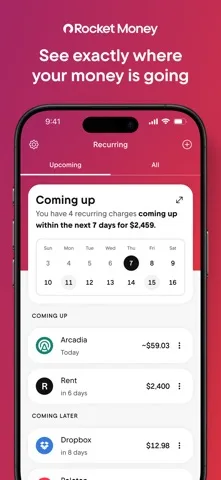
Rocket Money is the category-definer for a reason: connect your bank and it surfaces every recurring charge, totals them, and — on Premium — cancels unwanted ones or negotiates bills on your behalf. The free tier covers detection; Premium is $7–$14/month (user-chosen); Premium+ at $15/month adds an AI assistant and fee-free negotiation. Premium bill negotiation takes 35–60% of first-year savings. US-only, no manual entry, no real budgeting — it is a subscription tool that happens to show balances, not a budgeter.
Why we like it
- Best-in-class automatic subscription detection
- Cancellation and bill negotiation done for you (Premium)
- Free tier covers detection and totals
- Upcoming-renewal views prevent surprise charges
- Zero setup beyond bank login
Limitations
- US-only — unavailable abroad
- No manual entry — bank sync or nothing
- Negotiation takes 35–60% of first-year savings
- Not a budgeting app — no debt, goals, or categories depth
- Premium at $14/mo costs more than some full budgets
Key details
Bobby
Best for iPhone minimalists who want a list, not a service
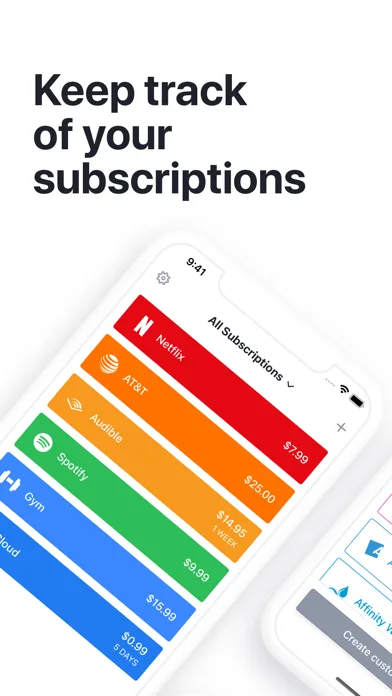
Bobby is subscription tracking reduced to its essence: enter each subscription once with amount and cycle, and it shows upcoming charges with monthly and annual totals. Everything stays on the device — no account, no bank, no cloud. Free with limits; one-time unlocks run $0.99–$2.99 (All-in-one Pack $1.99–$2.99, US App Store, Nov 2026). iOS-only and sparingly maintained, so check recent reviews — but for a pure list, nothing is simpler.
Why we like it
- Simplest possible subscription tracking
- On-device data — maximum privacy
- One-time unlock, never a subscription
- Upcoming-charges view is excellent
- No bank login of any kind
Limitations
- iOS-only
- Manual entry — nothing detected automatically
- No budgeting, bills, or negotiation
- Sparingly maintained — verify it still works on your iOS
- No sync across devices
Key details
Chronicle
Best for Apple households tracking subs plus bills
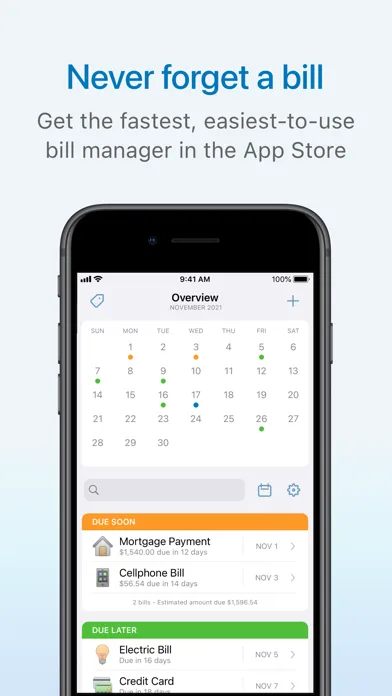
Chronicle tracks subscriptions and bills together on iPhone, iPad, and Mac, with reminders before each charge and a clear upcoming-payments timeline. Like Bobby it is manual and private — no bank connection — but it covers the full bill calendar, not just subscriptions. Free to try; Pro is a $14.99/yr auto-renewing subscription. Apple-only, so mixed-device households need something else.
Why we like it
- Subscriptions plus full bill calendar in one timeline
- Reminders before every charge
- No bank connection — manual and private
- Native Apple apps (iOS, iPad, Mac)
- Cleaner than spreadsheets, simpler than Rocket
Limitations
- Apple-only — no Android or web
- Manual entry — nothing detected automatically
- Pro is $14.99/yr auto-renewing (App Store, Nov 2026)
- No budgeting beyond the bill list
- No cancellation or negotiation help
Key details
Monarch Money
Best for People who want subscriptions inside a complete budget
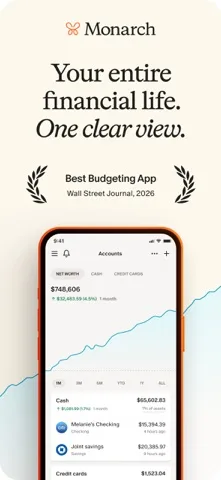
Monarch Money detects recurring charges from bank sync and shows them inside a full budgeting system — categories, goals, net worth, household sharing — at $99.99/year Core. It will not cancel anything for you, but for users who want subscription awareness as one view among many (rather than a standalone tool plus a separate budget), it removes an app from the stack. 7-day trial, US-focused sync.
Why we like it
- Recurring-charge detection inside a full budget
- Goals, net worth, and household sharing included
- Reliable US bank sync and categorization
- One app instead of tracker-plus-budget
- Web + mobile apps
Limitations
- $99.99/year Core — no free tier
- No cancellation or negotiation service
- Primarily US-focused for bank sync
- Overkill if subs are the only problem
- Softer methodology than YNAB
Key details
Simplifi by Quicken
Best for Recurring tracking plus a spending plan at a lower price
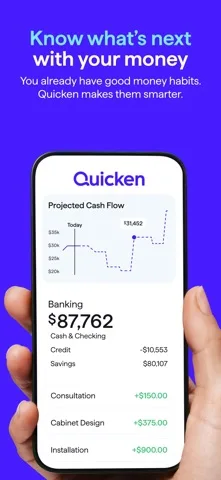
Simplifi pairs strong recurring-transaction tracking with a monthly spending plan at $47.88 for year one ($83.88 renewal) — the cheapest bank-sync pick here in year one. Its watchlists surface subscription totals alongside category limits, so renewals count toward the month instead of slipping past. US-only sync, no free tier, no cancellation service. The value alternative to both Rocket Premium and Monarch.
Why we like it
- Year-one $47.88 — cheapest bank-sync pick
- Recurring tracking plus real spending plan
- Watchlists surface subs next to limits
- Clean interface, fast setup
- Reliable US bank sync
Limitations
- No free tier — trial only
- US-focused bank sync
- No cancellation or negotiation
- Not zero-based
- No investment depth
Key details
Hunter Vault Our app
Best for Subscription tracking with no bank link, inside a gamified budget
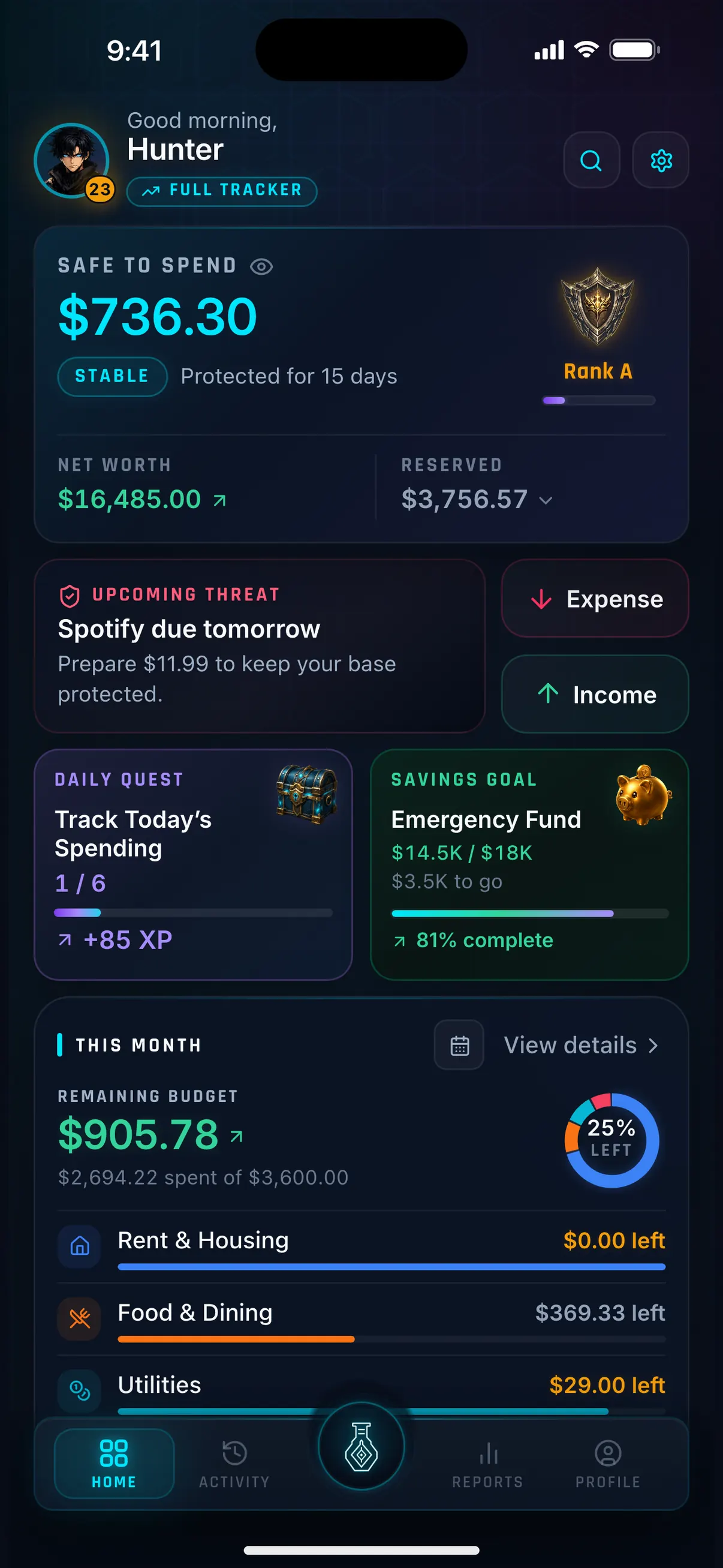
Hunter Vault tracks each subscription as a recurring transaction: enter it once and it logs on schedule, counts toward the month, and shows in renewal views — with no bank connection involved. Around it sits a complete manual budget (categories, bills, debt, goals) with a gamified layer that keeps logging accurate. Free core covers 3 recurring transactions; budgeting never requires a subscription. Works worldwide, unlike every bank-sync pick here.
Why we like it
- Subscriptions inside a full budget — renewals hit the monthly plan
- No bank connection — zero aggregator exposure
- Gamified habit layer keeps manual data accurate
- Works in any country — no US-only restriction
- Free core; one-time upgrade, never a required subscription
Limitations
- No automatic detection — enter each sub once manually
- No cancellation or negotiation service
- Free plan covers 3 recurring transactions
- Mobile-first — no web entry interface
- Smaller community than Rocket or Monarch
Key details
Should your subscription tracker connect to your bank?
Bank sync buys exactly one thing: finding subscriptions you forgot. Rocket Money, Monarch, and Simplifi scan your transactions and surface recurring charges automatically — the only way to catch a free trial that converted silently six months ago.
Manual trackers (Bobby, Chronicle, Hunter Vault) know only what you enter, so they cannot surprise you — but they also cannot leak, require no US bank, and cost nothing ongoing. The pragmatic move for many users is both in sequence: run a synced detector once to find everything, cancel the zombies, then maintain the survivors in a manual tracker forever.
How to choose the right subscription tracker
Split by automation appetite:
"Find them and cancel them for me": Rocket Money (US) — detection plus done-for-you cancellation on Premium. Accept the 35–60% negotiation cut with eyes open.
"Just a private list": Bobby on iPhone, Chronicle on Apple devices. Enter once, get reminded forever, no bank involved.
"Subs inside my whole budget": Monarch Money ($99.99/yr) for the full system, Simplifi ($47.88 first yr) for the value version, or Hunter Vault for the same idea with no bank link.
"I live outside the US": Skip Rocket entirely. Bobby, Chronicle (Apple), or Hunter Vault (any country, full budget included).
Then run the audit the app cannot run for you: list every subscription, mark keep/cancel/downgrade, and cancel one this week. Our subscription audit guide walks through the full method — the app tracks, but only you can cancel.
Frequently asked questions
What is the best app to track subscriptions?
Rocket Money for automatic detection and cancellation (US, free/Premium $7–$14/mo), Bobby for a minimal private list on iPhone, or Monarch Money ($99.99/yr) and Hunter Vault (free core, no bank) for subscriptions tracked inside a full budget.
Is there a free subscription tracker?
Rocket Money's free tier detects subscriptions (US bank sync required). Bobby is free with limits on iPhone with no account. Hunter Vault's core is free with 3 recurring transactions and no bank connection.
Can an app really cancel subscriptions for me?
Rocket Money Premium cancels eligible subscriptions and negotiates bills — negotiation takes 35–60% of first-year savings. Manual trackers (Bobby, Chronicle, Hunter Vault) remind you but leave the cancelling to you, which costs nothing.
How do I find subscriptions I forgot about?
Connect a detector (Rocket Money, Monarch) for one scan, or do it manually: search a year of bank and card statements for recurring charges, check Apple Subscriptions and Google Play Subscriptions on your phone, and list everything in one place before deciding.
Is Hunter Vault a good subscription tracker?
If you want subscriptions counted toward a real monthly budget with no bank link, yes: recurring transactions log on schedule inside a complete manual budget. If you want automatic detection, Rocket Money or Monarch fit better.
More Hunter Vault guides
Level up your money
Track spending, complete quests, and build better financial habits — the RPG way. Free to start, no bank linking required.


Free to start · No account needed · Works offline