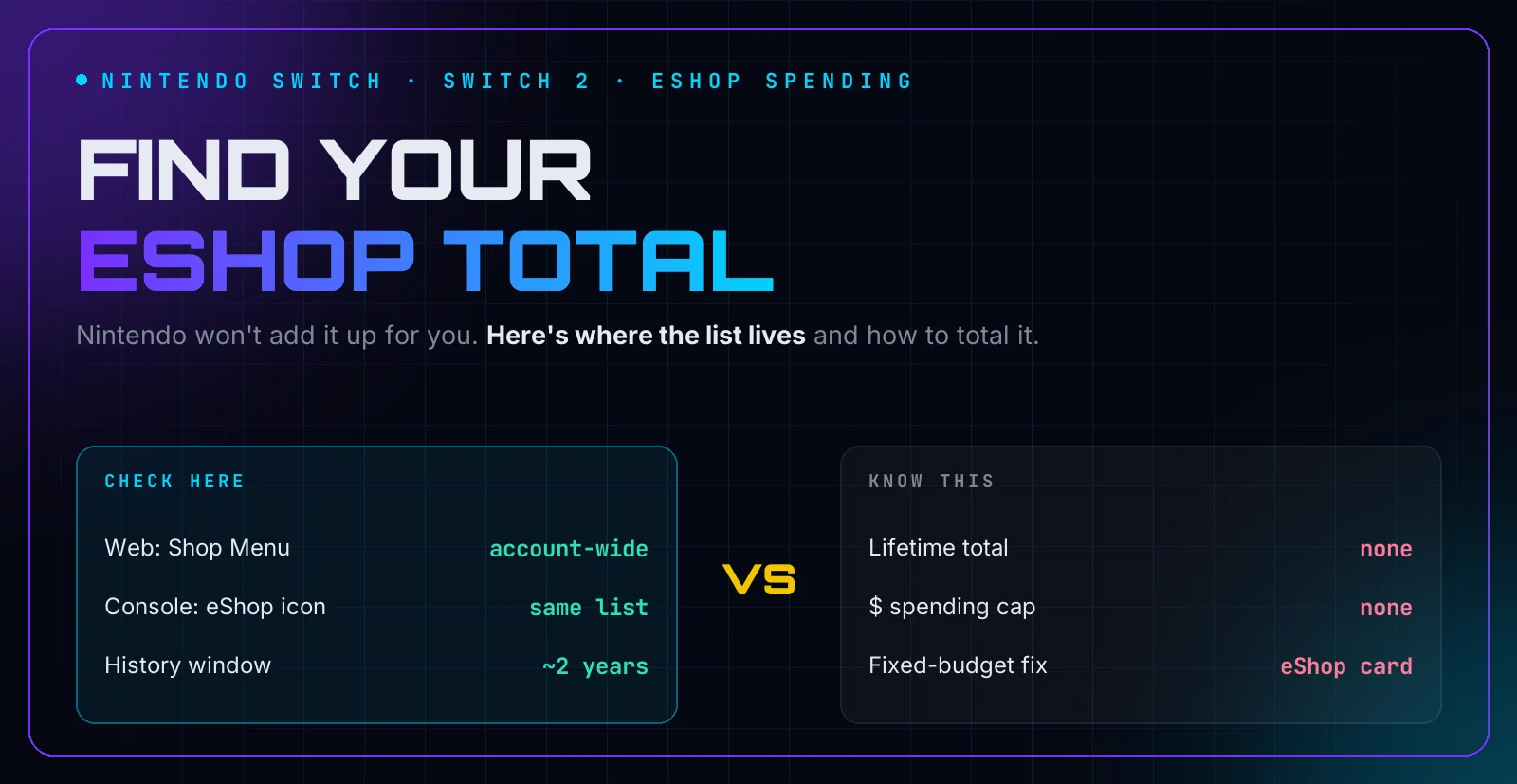
- Nintendo doesn't show a lifetime eShop total. Purchase History lists your transactions, and you add them up yourself.
- Find it on the web at accounts.nintendo.com (Shop Menu > Purchase History) or on Switch in Nintendo eShop under your user icon > Account Information.
- The web history covers both Switch and Switch 2, because it belongs to your Nintendo Account — but it only reaches back about two years at a time.
- Count each purchase once: skip funds top-ups and eShop card redemptions, or you'll count the same money twice.
- Parents: there is no dollar spending cap on Nintendo. Spending Restrictions blocks purchases entirely; a prepaid eShop card is the fixed-budget workaround.
Most people go looking for their eShop total after a surprise. Maybe it’s a card statement full of small Nintendo charges, a sale season that got out of hand, or a kid asking why they can’t buy anything.
Nintendo keeps a record of your eShop purchases. It just doesn’t add them up, doesn’t reach back forever, and — unlike PlayStation and Xbox — won’t let parents set a dollar cap. This guide shows where the list lives on the web, Switch, and Switch 2, how to total it without double-counting, and what parents can actually control.
Hunter Vault is an independent, RPG-inspired budgeting app. It isn’t affiliated with, endorsed by, or connected to Nintendo. Nintendo names are used here only to describe the spending this guide helps you track. Menus were checked against Nintendo Support and 2026 guides in November 2026 and can change with any system update.
Quick Answer: How Do You See How Much You’ve Spent on eShop?
Open Purchase History. On the web, sign in at accounts.nintendo.com, open the Shop Menu, and select Purchase History. On Switch, open Nintendo eShop, select your user icon, then Account Information and Purchase History. Nintendo shows transactions, not a lifetime total — so add up the purchases yourself, or paste the list into the free purchase history calculator, which totals it by year in your browser.
Why Nintendo Doesn’t Show You a Total
Purchase History is built to settle receipt questions, not to keep score. A few things make the real total harder to see:
- No total, by design. The list shows rows — date, item, price. Adding them is your job.
- A limited window. Nintendo’s account-information guide describes transaction history covering the past two years. Older spending needs older statements or your own records.
- Two kinds of rows. Funds top-ups (adding eShop balance, including from prepaid cards) sit next to actual purchases. Add both and you’ve counted the same money twice.
- Prepaid cards hide the price. A $20 eShop card shows as a $20 top-up; the games bought with it show at $0 against your balance. Count the card or the games, never both.
- Redownloads aren’t spending. The redownload list (now virtual game cards on newer systems) includes free games, demos, and bundles with no prices. It answers “what do I own,” not “what did I spend.”
A quick note on Gold Points. My Nintendo stopped awarding Gold Points on March 24, 2025 (Nintendo’s announcement, via Notebookcheck). Old history rows may mention points earned or spent; new purchases earn none. Don’t let legacy rows confuse the tally.
How to See What You’ve Actually Spent on eShop
Three ways to open the same account-level history. Use the web if you plan to add up months or years — selecting and copying rows is far easier there.
| Where | Path (as of November 2026) | Covers |
|---|---|---|
| Web | accounts.nintendo.com > Shop Menu > Purchase History | Switch + Switch 2, past ~2 years |
| Switch | Nintendo eShop > user icon (top right) > Account Information > Purchase History | Same account history, on-console |
| Switch 2 | Same account-information area; redownloads live under virtual game cards | Same account history, on-console |
Sources: Nintendo Support (AU), Nintendo’s purchase-history article for Switch 2 and Switch, checked November 2026. Tip: Nintendo emails a receipt for every eShop transaction to the buying account (the parent’s email for child accounts), so your inbox holds a fuller history than the two-year on-screen window.
Check your purchase history on the web
- Sign in at accounts.nintendo.com.
- Open the Shop Menu from your profile settings.
- Select Purchase History (listed as Information About Account Activity in some regions).
- Work through the transactions, skipping funds top-ups. Copy rows into the purchase history calculator to total by year.
Check your purchase history on Switch
- Open Nintendo eShop with the account that made the purchases.
- Select your user icon in the top-right corner.
- Open Account Information, then Purchase History (or Funds and Payment Methods, depending on what you want to review).
- Note each purchase’s price. For anything older than the on-console window, switch to the web view.
If a game shows a price instead of “Purchased,” you’re signed in with an account that didn’t buy it — each account has its own history. Check every account in the household before concluding anything about total family spending.
Parents: There Is No Spending Cap (Only a Block)
This is the biggest surprise for parents coming from PlayStation or Xbox: Nintendo does not offer a parent-set dollar spending cap. No “$10 a month,” no per-purchase limit. What exists is a block:
- Sign in at accounts.nintendo.com with the parent or guardian account.
- Open Family group and select the child’s supervised account.
- Turn on Spending Restrictions and save. This blocks eShop purchases and auto-renewal on Switch, Switch 2, and the Nintendo Store.
- Separately, turn on Age-Based Content Restrictions to limit which eShop content the child can see.
Sources: Internet Matters’ Switch guide, Kids on Screens (October 30, 2026), and Nesswick’s console comparison (verified September 2026) — all confirm there’s a block, not a cap.
The fixed-budget workaround: a prepaid eShop card. Add a set amount to the child’s account and that’s all they can spend — the balance is the cap Nintendo won’t give you. For the full subscription side (Nintendo Switch Online renewals), run a subscription audit and check gaming subscription budgets.
Set Your Own eShop Cap
Since Nintendo won’t cap spending for you, cap it yourself:
- Find your number first. Total the last 3 months of Purchase History. That’s your baseline — most people guess low.
- Pick a monthly cap that fits after bills and savings. How much to spend on games per month helps you set one from income instead of vibes.
- Prepay the cap. Buy an eShop card for exactly that amount each month and remove your saved card (how to remove cards from gaming accounts). When the balance hits zero, the month is over.
- Review the history monthly. Five minutes with Purchase History beats an hour of regret at tax time.
A gaming budget in Hunter Vault shows what’s left this month, and Safe-to-Spend shows what’s free after bills and savings — so you know whether that eShop sale is calling with your hobby money or someone else’s.
Related guides:
- How Much Have I Spent on PlayStation? — the same totaling method for Sony’s store
- How Much Have I Spent on Xbox? — Game Pass and purchase history included
- How Much Should You Spend on Games Per Month? — set the cap from income
- Subscription Audit: Find Every Recurring Charge — catch renewals hiding behind purchases
- Remove Your Credit Card From Gaming Accounts — the friction that makes caps stick
Frequently Asked Questions
How do I see how much I've spent on Nintendo eShop?
Open Purchase History. On the web, sign in at accounts.nintendo.com, open the Shop Menu and select Purchase History. On Switch, open Nintendo eShop, select your user icon, then Account Information and Purchase History. Nintendo shows transactions, not a lifetime total, so add the rows yourself.
Can I see my total eShop spending in one figure?
No. Nintendo's history is a transaction list with no total, and on-console it covers roughly the past two years. Pick a period, add up the purchases, and repeat for older years. The free purchase history calculator totals a pasted list by year in your browser.
How do I check eShop purchases on Switch 2?
Use the same Nintendo Account history: your web Purchase History at accounts.nintendo.com covers purchases on both Switch and Switch 2, because the history belongs to the account, not the console. On-console, Switch 2 keeps the same account-information area; redownloads moved to virtual game cards, which list games, not spending.
Is there a spending limit for kids on Nintendo eShop?
Not a dollar limit. Nintendo offers Spending Restrictions, a switch that blocks purchases entirely on a supervised child's account, managed at accounts.nintendo.com under Family group. There is no parent-set monthly cap like PlayStation or Xbox have. The workaround is a prepaid eShop card: a fixed balance the child can't exceed.
Do eShop cards and Gold Points show in my history?
Funds added with eShop cards appear as balance top-ups, so count either the top-up or the games bought with it — never both, or you'll count the same money twice. My Nintendo Gold Points stopped being awarded on March 24, 2025, so old rows may mention points that no longer exist on new purchases.
Does my redownload list show what I spent?
No. The redownload list shows every game tied to your account, including free titles, demos, and bundled downloads, with no prices. It answers 'what do I own,' not 'what did I spend.' Spending lives in Purchase History only.