// vs Copilot

A Copilot alternative that's free, on Android,

and never loses your bank connection.

Copilot is a beautiful Apple-only tracker — but it's subscription-only, iPhone/Mac exclusive, and leans entirely on bank connections that reviewers say drop and need constant reauthentication. Hunter Vault is free, runs on iOS and Android, and never links a bank in the first place — so there's nothing to reconnect.

  • Free to start
  • No account needed
  • Works offline
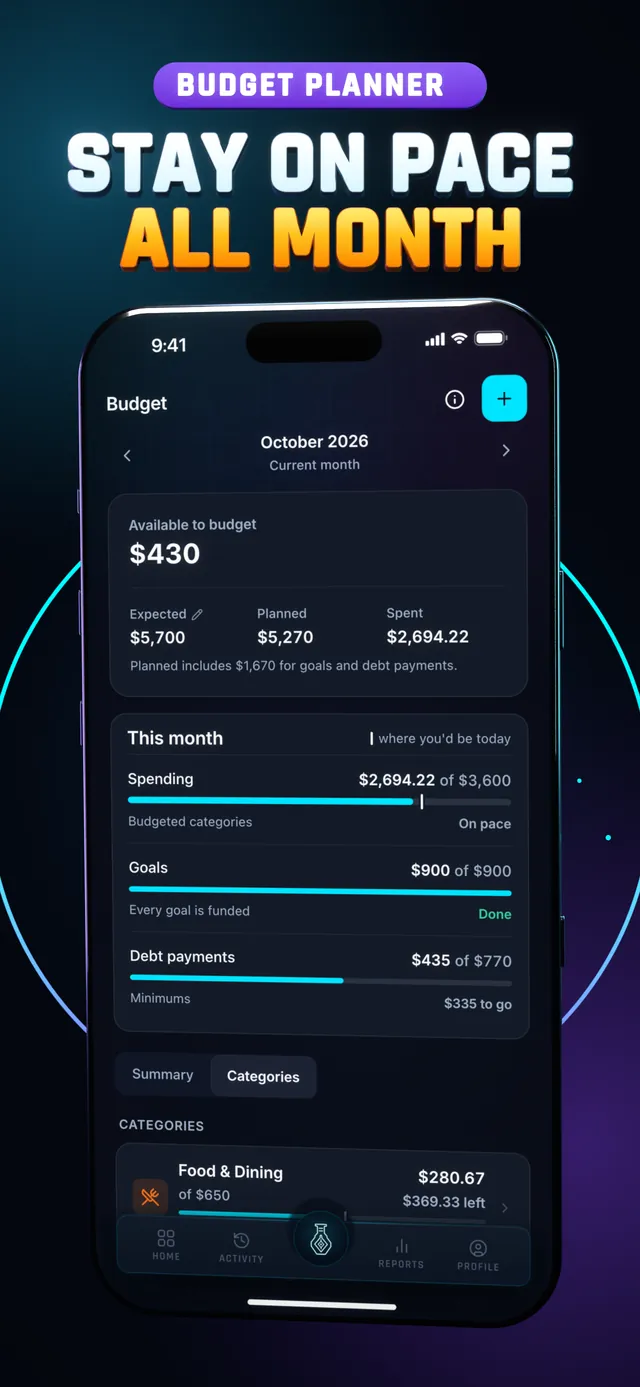
Hunter Vault Budget screen with a pace marker on each category, under the headline Stay on pace all month
// the real problem

A gorgeous app you can't use is still unusable.

Copilot earns its fans with a polished, native Apple experience and smart categorization. If you live entirely in the Apple ecosystem in the US and the sync behaves, it's a lovely tracker.

The catches are structural. There's no Android app, no free tier, and the whole experience hinges on bank connections — which reviewers repeatedly describe failing, mislabeling accounts, and forcing re-authentication until a spreadsheet starts to sound easier.

Hunter Vault removes all three. It's free, it runs on iOS and Android, and it never connects to your bank — so there's nothing to reconnect, and tracking works the same anywhere, online or off.

  • No Android version — half of phones can't run it
  • Subscription-only, with no permanent free tier
  • Everything depends on bank links that drop and relock
  • US-focused — limited use elsewhere
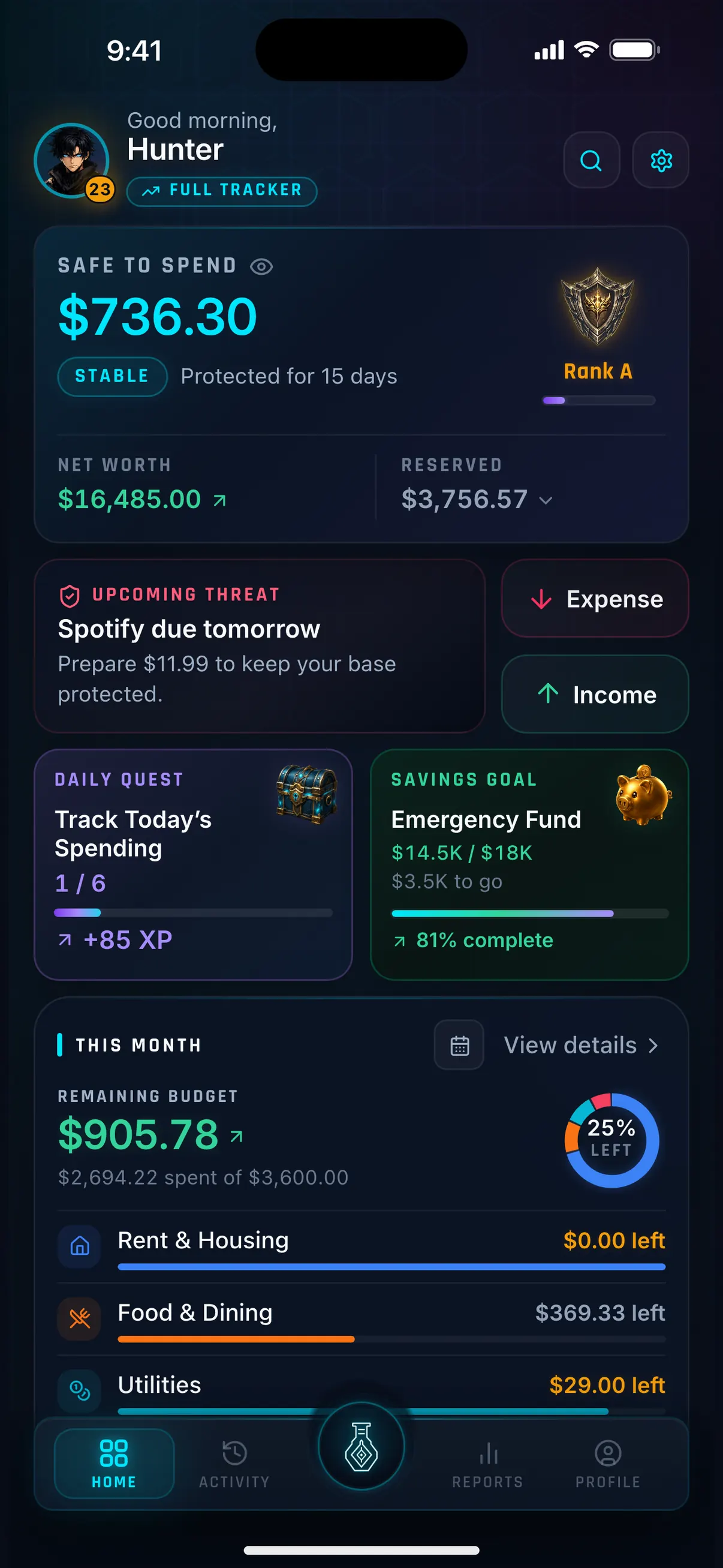
Hunter Vault Home screen with Safe to Spend, your rank, an upcoming bill, a daily quest and a savings goal
// two approaches

Automated dashboard vs rewarding habit.

Both show you your spending. They differ on what they depend on — and who can even install them.

Copilot

An Apple-only auto-tracker.

Bank-connected, AI-categorized tracking with a premium native feel on iPhone, iPad, and Mac. Powerful when the sync holds — but subscription-only, US-focused, and unavailable on Android.

Hunter Vault

A motivation layer.

Flexible budgeting — expenses, budgets, goals, bills, debt — manual-first and offline, on iOS and Android, wrapped in quests, XP, and ranks that keep you logging. Free.

// side by side

Feature comparison.

Checked October 2026. Copilot pricing and features may change — see copilot.money for current details.

CopilotHunter Vault
Best forApple users who want automatic, AI-categorized trackingPeople who want free, cross-platform tracking with motivation
PlatformsiPhone, iPad, Mac — no AndroidiOS and Android
PricingSubscription (~$95/yr or ~$13/mo); no free tierFree; Awakened Hunter $15.99 one-time; optional Hunter Pass and cloud sync subscriptions
Bank linkingYes — core; dropped connections are a common complaintNo — manual entry, nothing to reconnect
Works offlineNo — depends on syncYes — budgeting works offline, no account needed
RegionUS-focusedWorks anywhere (manual)
Motivation built inNoQuests, XP, ranks, streaks, optional leaderboard
Debt & goalsTracking-focusedDedicated savings goals & debt tracking
// honest take

Where Copilot is honestly the better pick.

We'd rather you find the right tool than the wrong one.

Choose Copilot if you're all-in on Apple devices in the US, you want automatic bank import with slick categorization, and you're happy to pay a subscription for a polished native experience. When the sync cooperates, its design and automation are genuinely excellent.

Hunter Vault doesn't link your bank, doesn't categorize automatically, and isn't a Mac app. If automatic Apple-native tracking is what you want, Copilot is the better fit — no hard feelings.

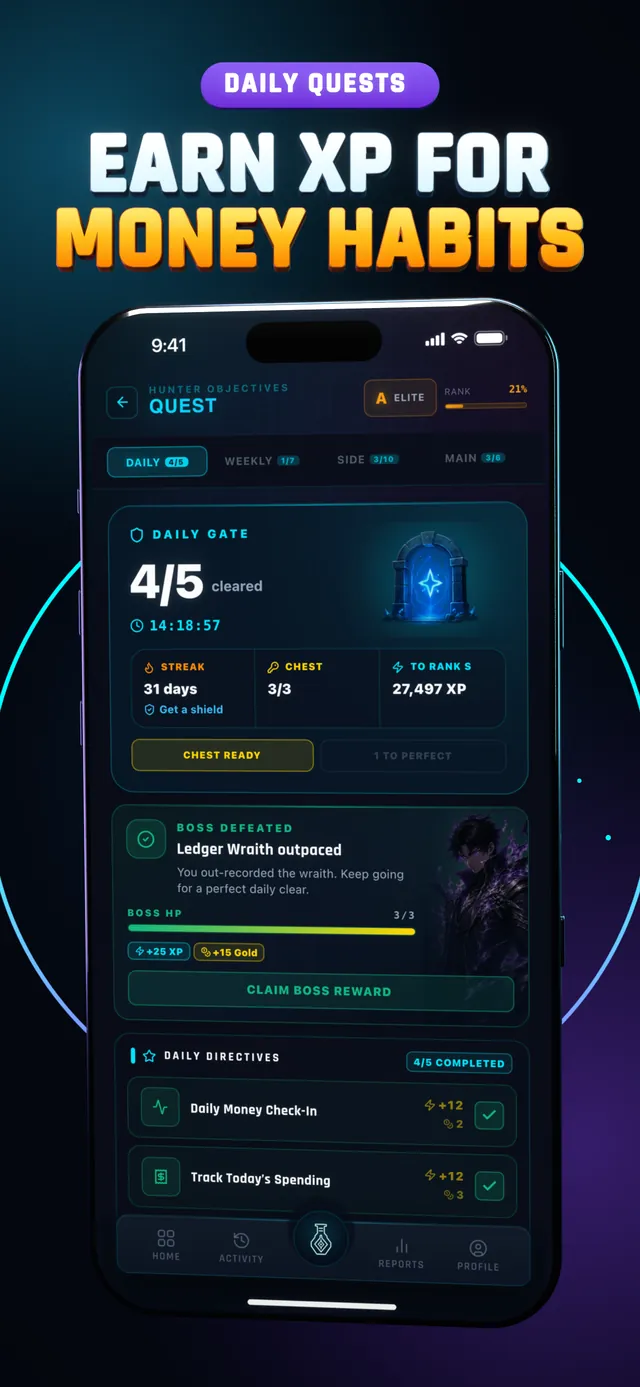
Hunter Vault Quest log with the Daily Gate and the daily boss, under the headline Earn XP for money habits
// where it fits

Free, cross-platform, and dependable by design.

Here, logging an expense completes a quest. A week of tracking builds a streak. Paying down a debt clears a dungeon. Saving toward a goal fills a progress bar you can watch move. It's the same money work — it just finally feels like progress.

And because your budget is stored on your device by default and works offline, you can start without creating an account.

  • You're on Android, or want one app across platforms
  • You don't want a subscription to track your money
  • You're tired of re-authenticating a bank connection
  • You'd actually keep going if the app gave you a reason to
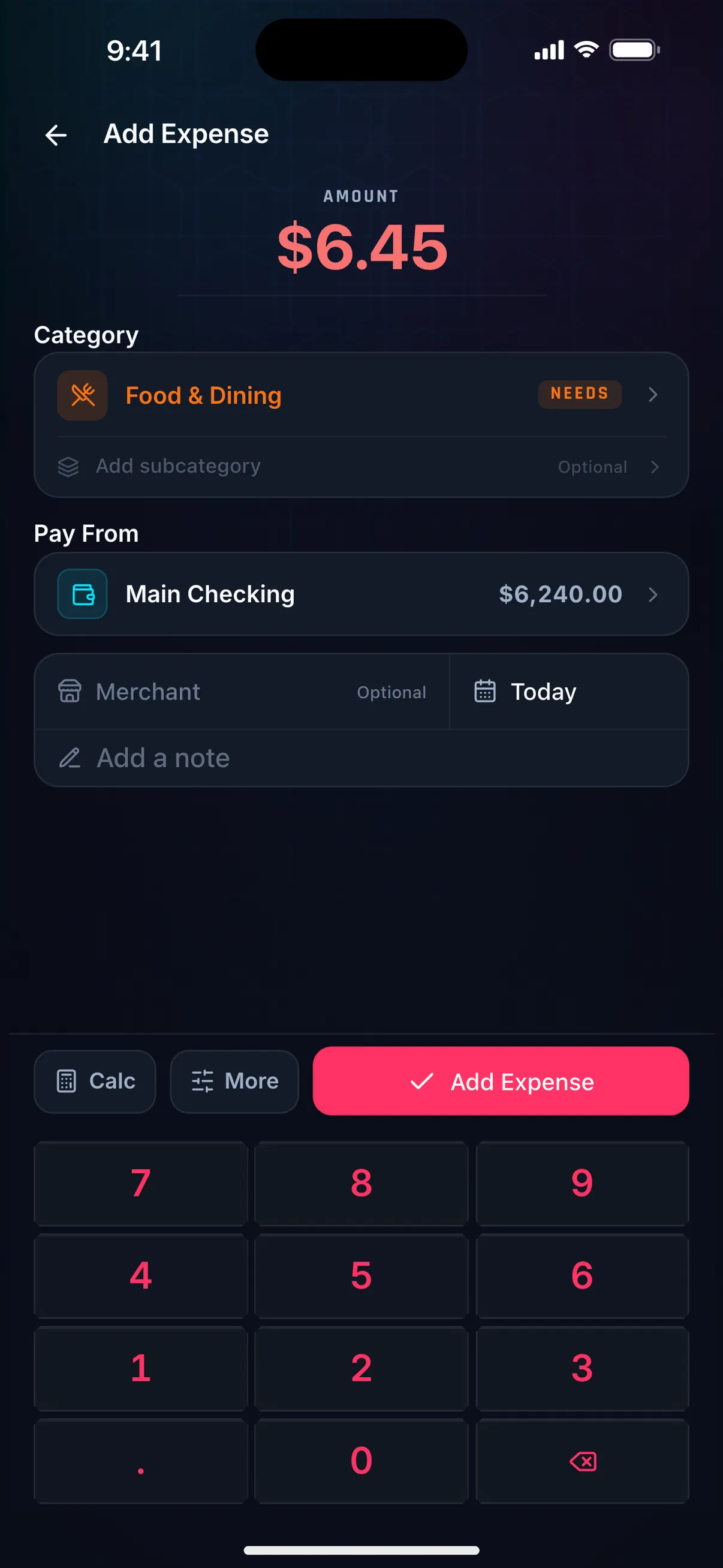
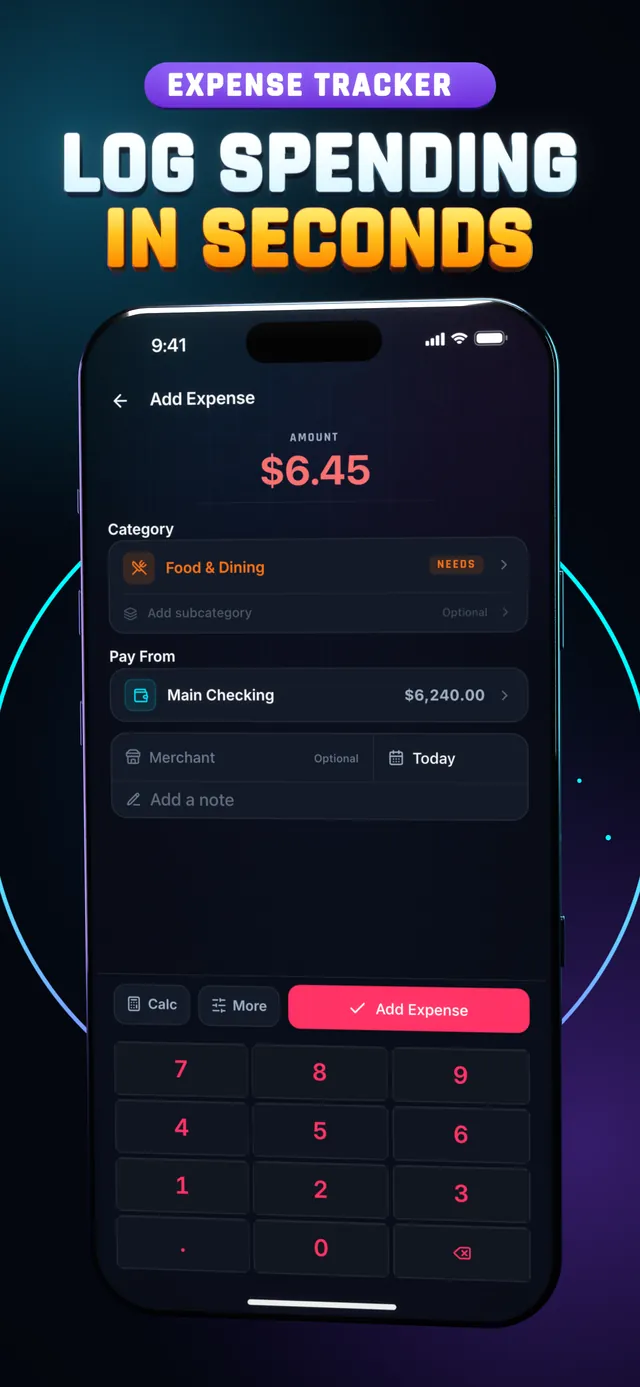
Hunter Vault Add Expense screen logging $6.45 for Food & Dining on the number keypad
// private by default

Your data stays on your device by default.

Never linked to your bank

Budgeting works fully offline

No sign-up needed

On iOS and Android

// pricing

Free to budget, vs subscribe to use it at all.

Copilot has no free tier and bills monthly or yearly. Hunter Vault is free to budget; Awakened Hunter is a one-time purchase, and its only subscriptions are optional add-ons (Hunter Pass and cloud sync).

Copilot
~$95/yr

or ~$13/month — no free tier

  • Subscription required to use the app
  • Apple devices only — no Android
  • Bank connection required for core features
  • US-focused; sync issues reported even while paying
Hunter Vault
Free to start

Awakened Hunter: $15.99 one-time purchase

  • Core budgeting free — expenses, budgets, goals, debt, bills, quests, XP & ranks
  • Free limits: up to 8 budgets, 3 recurring entries, 5 accounts, 3 debts, 2 savings goals
  • Awakened Hunter ($15.99 one-time) — removes all limits, unlocks themes & advanced reports
  • Optional cloud sync subscription — cloud backup + multi-device sync, separate from Awakened Hunter
  • Optional Hunter Pass subscription — credits for the Huntee AI assistant and Smart Import from screenshots and PDFs (CSV import is free)
  • Works on iOS and Android; Awakened Hunter is pay-once, no renewal
// questions

Frequently asked questions

Yes. Core budgeting in Hunter Vault is free — expense tracking, budgets, savings goals, debt tracking, bills, quests, XP, and ranks. The free tier has limits (up to 8 budgets, 3 recurring entries, 5 accounts, 3 debts, 2 savings goals). Awakened Hunter is a one-time $15.99 purchase that removes those limits. Budgeting never requires a subscription, which is the core difference from Copilot. (Hunter Pass for the AI features and cloud sync are optional subscriptions.)

Yes. Hunter Vault is available on both iOS and Android. Copilot is an Apple-only app (iPhone, iPad, Mac) with no Android version — so if you are on Android, or share finances across platforms, Hunter Vault works where Copilot cannot.

No. Copilot is built around automatic bank connections, and dropped connections, re-authentication loops, and account-linking errors are among its most common complaints. Hunter Vault is manual by design — nothing is connected to your bank, so there is nothing to reconnect and nothing to break.

Copilot is subscription-only with no permanent free tier, and reviewers note being pushed straight into paid plans. Hunter Vault is free to use; Awakened Hunter is an optional one-time upgrade, and you never need a subscription to budget.

Copilot is a subscription — roughly $95/year or about $13/month (check copilot.money for current pricing) — and is US-focused for bank connections. Hunter Vault is free to start, budgeting works offline anywhere, and Awakened Hunter removes the free-tier limits for a one-time $15.99 purchase. Budgeting never requires a subscription; Hunter Pass (for the Huntee AI assistant and Smart Import from screenshots and PDFs) and cloud sync are optional subscriptions.

// your first quest

Log your first expense.

Download Hunter Vault free on iOS and Android. No subscription required, no account, no bank sync to break — just you, your spending, and the XP waiting on the other side of that first log.

  • Free to start
  • No account needed
  • Works offline
See all features →
Hunter Vault Add Expense screen with the number keypad, under the headline Log spending in seconds
// keep comparing

More Hunter Vault comparisons.

Hunter Vault is an independent app and is not affiliated with, endorsed by, or connected to Copilot. "Copilot" (Copilot Money) is a trademark of its respective owner, referenced here only for honest comparison. Copilot pricing and features described above were checked in October 2026 and may change — see copilot.money for current details. User-experience observations reflect publicly posted app-store reviews at that time.

This page is general educational and product information, not financial advice. Choose a budgeting method that fits your income, responsibilities, and situation.