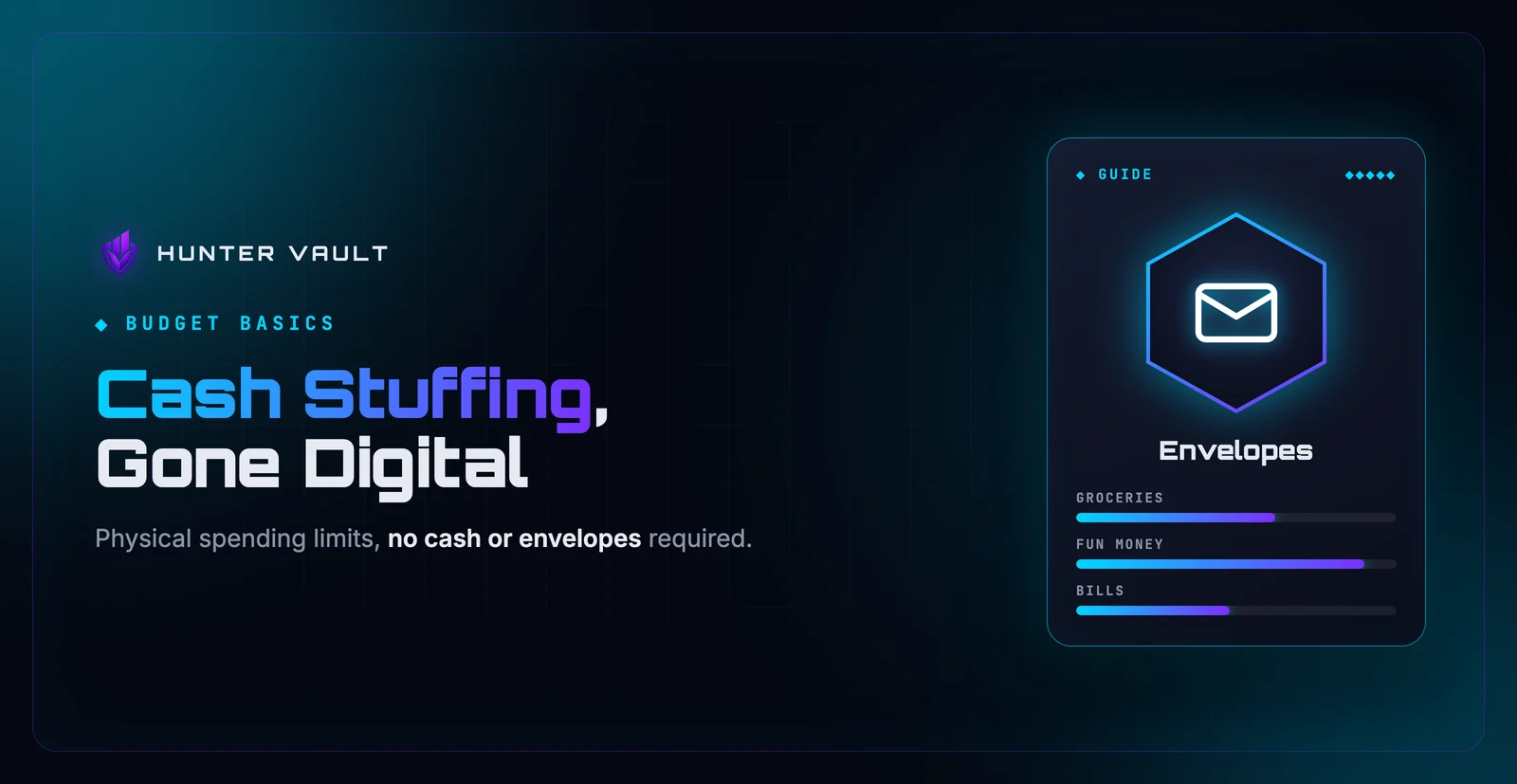
- Cash stuffing works because physical envelopes make overspending impossible — you can see when money runs out
- The digital version preserves the same psychology: a hard limit per category, tracked in real time
- Start with 5–7 spending categories, set a monthly amount for each from leftover money after essentials
- Manual logging is the critical habit — it replaces the tactile friction of handling physical bills
- The method only fails when you move money between pots mid-month instead of stopping when one runs dry
Cash stuffing went viral because it works in a way that’s hard to argue with. You take your grocery budget, put that exact amount of cash in an envelope labeled “Groceries,” and when the envelope is empty, you stop buying groceries on discretionary items for the month. No math required. No willpower standoff with a bank app. The money is gone, and you know it immediately.
The problem is that most people don’t carry cash in 2026. Contactless payments, online subscriptions, and split dining bills have made physical envelopes impractical for everyday life. Pulling out exact bills at a supermarket self-checkout feels awkward. Paying for a streaming service with an envelope is simply impossible.
But the underlying system — dividing your spending money into separate, hard-limited buckets — is completely reproducible without physical cash. The goal of this guide is to show you exactly how to do that.
Quick Answer: What Is Cash Stuffing?
Cash stuffing is a budgeting method where you allocate a fixed amount of money to each spending category at the start of the month, track it in a dedicated pot, and stop spending in that category when the pot hits zero. The original version uses labeled physical envelopes filled with cash; the digital version replaces envelopes with named virtual pots or accounts and replaces the “feel” of cash with mandatory real-time logging. The core mechanism — a visible, per-category limit that counts down as you spend — is identical in both versions.
Why Cash Stuffing Works (and Why Other Methods Don’t)
Most budgeting advice tells you to track your spending after the fact. You review your bank statement at the end of the month, see that you spent $400 on takeout instead of $150, feel bad about it, and repeat the cycle next month. The information arrives too late to change the behavior.
Cash stuffing flips this. The limit is visible before and during each purchase, not after. When there’s $12 left in the Dining envelope, you know that before you decide whether to order delivery tonight. That’s the mechanism that makes it effective — not the physical cash itself, but the real-time visibility of what remains.
Physical bills amplify this through what researchers call the “pain of paying” — spending cash has a measurable psychological weight that a card tap does not. Handing over bills creates a brief moment of friction that makes the cost feel real. That’s genuinely hard to replicate digitally, but it’s not the whole system. The limit and the visibility are, and those transfer completely.
The reason envelope budgeting outperforms “just track your spending” is simple: tracking tells you what happened, while envelope budgeting tells you what’s about to happen if you keep going. One is a record, the other is a guardrail.
A bank balance is one number for all of your money. Envelopes — physical or digital — split that one number into separate, labeled amounts you can actually reason about. The moment you can see that your Entertainment pot has $20 left this month, your brain makes a different decision than when it just sees a checking account with $1,400 in it.
The Problem With Physical Cash in 2026
The original method assumes you withdraw a lump sum of cash and divide it by hand. That works cleanly if you shop in person, pay for everything yourself, and never buy anything online. Almost nobody lives that way.
ATM trips add friction and fees. Splitting a restaurant bill with friends when you’re “paying cash” gets awkward. Online purchases — subscriptions, travel bookings, anything from an app — simply can’t use an envelope. And carrying several hundred dollars in labeled envelopes introduces a security risk that most people aren’t willing to accept.
Digital cash stuffing solves all of this. Your pots are virtual, so you spend however you normally would — card, phone, whatever — and log the purchase against the right category afterward. The limit is enforced through your tracking discipline, not the physical presence of bills.
If you prefer to avoid linking your bank to any app, that’s completely workable too. Budgeting without connecting a bank account is a straightforward approach when you log purchases yourself rather than relying on automatic imports.
How to Do Digital Cash Stuffing (Step by Step)
List your spending categories
Start with 5–7 categories. More than that and you’ll spend more time managing the system than benefiting from it.
A reliable starting set: Groceries, Dining/Takeout, Transport, Entertainment, Personal care, Household, and one catch-all Miscellaneous. If you’re not sure how to slice these up, a guide on how to categorize expenses walks through a practical approach without over-engineering it.
Add or split a category only when you see that one pot is absorbing two clearly different types of spending that deserve different limits. Until then, fewer is better.
Set a monthly amount for each category
Work from what’s left after your fixed essentials — rent, loan payments, utilities, and any recurring bills you can’t control month to month. If you’re not sure which subscriptions are quietly eating into that number, a subscription audit is worth doing before you set your pot amounts.
Whatever remains after essentials is your discretionary budget to divide. To figure out a reasonable split per category, look back at one to two months of spending history and use that as a starting point. Don’t aim for perfection — aim for a number that’s honest but slightly tighter than your current habit. If you’re unsure how much is safe to put in each pot, start conservative and adjust after the first month.
Create a digital pot for each category
In a budgeting app, these are usually called envelopes or budget categories (in Hunter Vault, monthly category limits). Each pot holds the monthly amount you set and counts down as you log purchases against it.
You can also do this in a simple spreadsheet with one column per category and a running total. The tool matters less than the habit of updating it every time you spend.
Log every purchase against the right pot
This is the step most people skip, and it’s the reason their digital cash stuffing doesn’t work. Automatic bank sync is convenient but creates a gap between the purchase and the awareness. Manual logging — entering each purchase when it happens or at the end of each day — is what creates the real-time visibility the method depends on.
Think of this as stuffing in reverse: instead of putting cash in before you spend, you subtract it digitally the moment you spend. The discipline of logging is what replaces the tactile friction of handing over physical bills.
When a pot empties, stop spending in that category
This is the whole point. When your Dining pot hits zero, you cook at home. When Entertainment runs out, you watch something you already have access to. The limit is the feature, not a failure.
If stopping genuinely feels impossible — if the category runs out in week two every single month — that’s useful information. Either the budget for that category is unrealistically low, or spending in that area is harder to control than you thought. Adjust the amount or address the pattern. Don’t just roll money over from another pot and pretend it didn’t happen.
Shifting budget from one pot to another mid-month when a category runs out defeats the entire system. The envelope method only works because the limit is real. If you let yourself top up any pot that empties, you don’t have a budget — you have a tracking system with no consequences, which is just a fancier version of reviewing your statement after the fact.
A Simple Example
Say you set three pots for October: Groceries at $300, Dining at $150, and Entertainment at $80. By the 18th, you’ve logged $120 of groceries and $130 of dining. Your Dining pot has $20 left.
On the 19th, you’re tempted to order delivery. You open the app, check the Dining pot — $20. That’s probably not enough for the order you have in mind. You decide to cook instead, or you go out and spend exactly $20 and close the pot.
On the 24th, the Entertainment pot hits zero. You had a couple of cinema tickets and a streaming rental. No more discretionary entertainment spend for October. You find something free instead.
At the end of the month, you didn’t overspend in a single category. Not because you have iron willpower — because the system made it visible before it happened.
Common Mistakes to Avoid
Going too granular. Fifteen categories sounds thorough, but it creates so much overhead that most people quit by week two. If you’re coming from no budget at all, five broad pots you actually maintain will do more for you than twelve precise ones you abandon. The lazy person’s approach to budgeting makes a useful point here: simpler beats perfect every time.
Moving money between pots when one runs out. Covered above, but worth repeating. This is the single most common way digital cash stuffing stops working. If you find yourself doing this repeatedly, either the budget for that category is wrong or there’s a pattern worth examining.
Treating a near-empty pot as a strict ban rather than a visible limit. The goal isn’t punishment — it’s awareness. If your Groceries pot has $15 left and you genuinely need food, you buy food. The category system exists to make you think before you spend, not to starve you. Reserve the hard stop for discretionary categories like dining out and entertainment, where there’s genuine flexibility.
A new category feels useful the day you create it. By day ten it feels like a chore. Start with broad buckets, give the system a full month, then decide if any single category genuinely needs splitting. Most don’t. The overhead of maintaining granular categories usually outweighs the insight they provide.
How Hunter Vault Can Help
Hunter Vault gives you two pieces of the envelope system. The budget planner lets you set a monthly limit for each spending category and shows each one as under, close, or over as you log spending, so you can see what’s left in each pot without opening a spreadsheet or doing any arithmetic. Money Vaults are the digital equivalent of labeled envelopes for money you’ve set aside: you name a vault for a purpose, assign it a balance, and it changes only when you log spending from it or move money between vaults yourself. Nothing syncs from your bank, and moving money between vaults doesn’t move real money.
The expense tracker handles the logging side — the “stuffing in reverse” step that makes the system work. Every purchase you record counts against the right category as soon as you log it, so you always know where you stand before the next purchase, not after the month ends. If you find that making this feel less like a chore and more like something you want to do is a challenge, the app is also built with gamified finance habits in mind — check-in streaks, XP, and visual feedback turn logging from a task into something with a small reward attached.
Set up your category limits, log your first purchase, and see what your pots look like by end of day. No bank link required. Download Hunter Vault
Final Takeaway
Cash stuffing works because it makes limits visible and real before you spend, not after. The physical cash is a delivery mechanism for that visibility, not the source of its effectiveness. Every element that actually changes behavior — the per-category limit, the real-time countdown, the clear stop signal — is fully reproducible without a single banknote.
The digital version asks one thing of you that physical envelopes don’t: you have to log your purchases yourself, in the moment. That habit is what makes the limit real. Build that habit, keep your category count small, and resist the urge to move money between pots when one runs out. Do those three things and the method works exactly as advertised — no cash required.
This article is for general educational purposes only. It reflects one approach to budgeting and is not tailored to your personal financial situation. For advice specific to your circumstances, speak with a qualified financial professional.
Frequently Asked Questions
What is cash stuffing?
Cash stuffing is a budgeting method where you divide your monthly spending money into labeled physical envelopes, one per spending category. When an envelope empties, you stop spending in that category for the month. It's a hands-on version of envelope budgeting that makes limits tangible and hard to ignore.
Does cash stuffing actually work?
Yes, for many people. The psychology is solid: physical money triggers stronger awareness than card swipes — a well-documented effect sometimes called the 'pain of paying.' Seeing an envelope empty creates a natural stop signal that a bank balance doesn't. The digital version preserves that signal through mandatory logging.
What's the difference between cash stuffing and envelope budgeting?
They're the same method. Envelope budgeting is the original name from traditional personal finance; cash stuffing became popular on TikTok and YouTube as a more visual, lifestyle-oriented version of exactly the same concept.
Is digital cash stuffing as effective as using real cash?
For most people, almost. The key mechanism — a hard limit per category tracked in real time — is fully preserved digitally. What you lose is the tactile friction of handing over physical bills, which you can partially replace by requiring manual logging for every purchase rather than relying on automatic imports.
What categories should I use for cash stuffing?
Start with 5–7 categories: Groceries, Dining/Takeout, Transport, Entertainment, Personal care, Household, and one catch-all. Fewer categories are easier to maintain. Add or split one only when you notice a category is absorbing clearly different spending types that deserve separate limits.