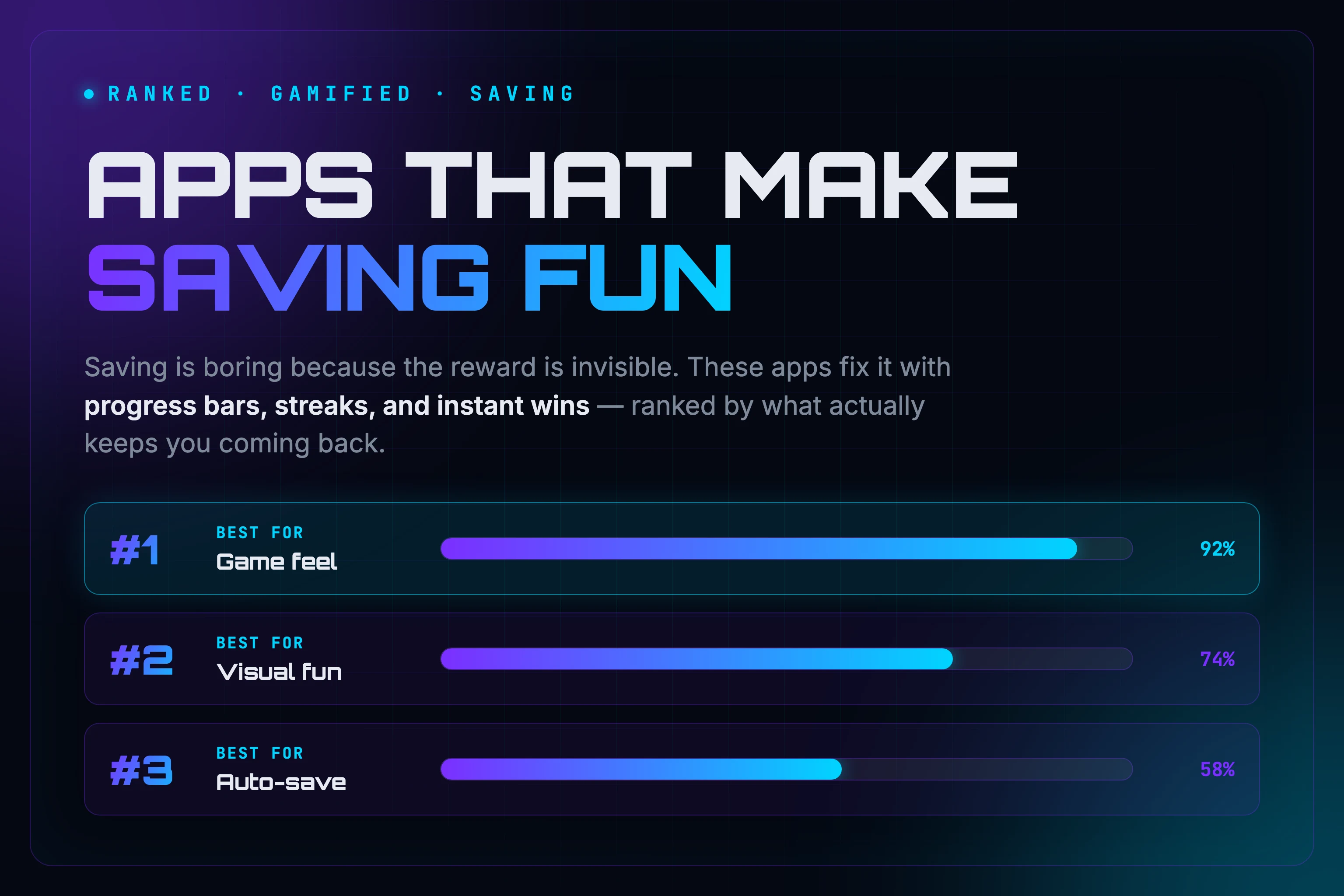
- Saving fails because it's boring — the reward is invisible, so you stop
- Gamified apps fix that with progress bars, streaks, and instant wins
- Ranked by fun, not by raw savings: Hunter Vault, Fortune City, Qapital, Cove, Acorns
- Key split: some apps MOVE your money automatically, others make the HABIT fun
- Pick by your real problem — boredom, forgetfulness, or both — and start the smallest version today
Saving money is simple and almost completely unrewarding. You move some cash, a number ticks up slightly, and nothing about it makes you want to do it again tomorrow. So you don’t.
The fix a lot of people are reaching for is gamification: apps that turn saving specifically into something with progress, rewards, and a reason to come back. This list covers apps focused on the saving side — building goals, making contributions feel like progress, and keeping you motivated to come back. If you want the full picture across budgeting, tracking, and gamified finance together, the best gamified personal finance apps for beginners covers that broader category. The best saving-focused apps are Hunter Vault for RPG-style progress, Fortune City for visual city-building, Qapital for automated savings rules, Cove for saving plus beginner investing, and Acorns for hands-off round-ups. Which one fits depends on whether you want the habit to feel fun or the money to move on autopilot.
First, this is Hunter Vault’s blog, so we’ll be upfront about exactly where it fits and where other apps beat it. Second, this list is ranked by how fun and gamified each app is to use, not by which one saves you the most money. A boring app can absolutely out-save a fun one — we’re optimizing for the thing that keeps you coming back.
Quick Answer: What Are the Best Apps That Make Saving Fun?
The best fun-to-use saving apps turn small money actions into visible progress and instant rewards. Hunter Vault gamifies the saving habit with quests and streaks, Fortune City turns expense tracking into a city-building game, Qapital adds playful auto-save rules, and Cove and Acorns mix saving with beginner investing. If you specifically want a save money app with rewards built in, the gamified options below are where to look. The right pick comes down to your actual problem: motivation, automation, or both.
Quick Picks
| App | Best For | Moves Money? | Free Tier | Rough Price |
|---|---|---|---|---|
| Hunter Vault | Gamified motivation, RPG progress | No (tracks only) | Yes | Free to start |
| Fortune City | Visual fun, free tracking | No (tracks only) | Yes | Free, paid extras |
| Qapital | Automated saving rules | Yes (auto-transfer) | Trial only | From a few $/mo |
| Cove | Saving plus beginner investing | Yes (holds money) | Yes | Free, fee on investments |
| Acorns | Hands-off round-ups | Yes (invests it) | No | Monthly subscription |
Prices and platforms change often, so treat the numbers as a guide and confirm current details in the app store.
What We Looked At
To rank these, we weighed four things: how fun and engaging the app actually is to use day to day, whether it’s beginner-friendly, what it costs, and whether it moves your money for you or just tracks it. Because the topic is making saving fun, the engagement factor carried the most weight. If your priority is pure automation or the lowest cost, the order would shift, which is exactly why each entry has a clear “best for.”
Why Gamified Saving Actually Works
Before the list, it helps to know why a game-like app can succeed where willpower fails. Regular saving pays off slowly, so your brain gets no reward today and loses interest. Gamified apps flip that. They give you immediate positive reinforcement that repeats with every action — the same reward step in the habit loop that plain saving is missing — and that quick sense of progress is what keeps you coming back.
There’s also a useful split worth understanding. A saving app can either move money into savings for you automatically, or help you spend less so there’s more left to save, and the right approach depends on whether your problem is discipline or visibility. Keep that in mind as you read: some apps below automate the money, others make the habit fun. The best choice depends on which problem is actually yours.
The Ranked List
1. Hunter Vault — Best for Gamified Motivation
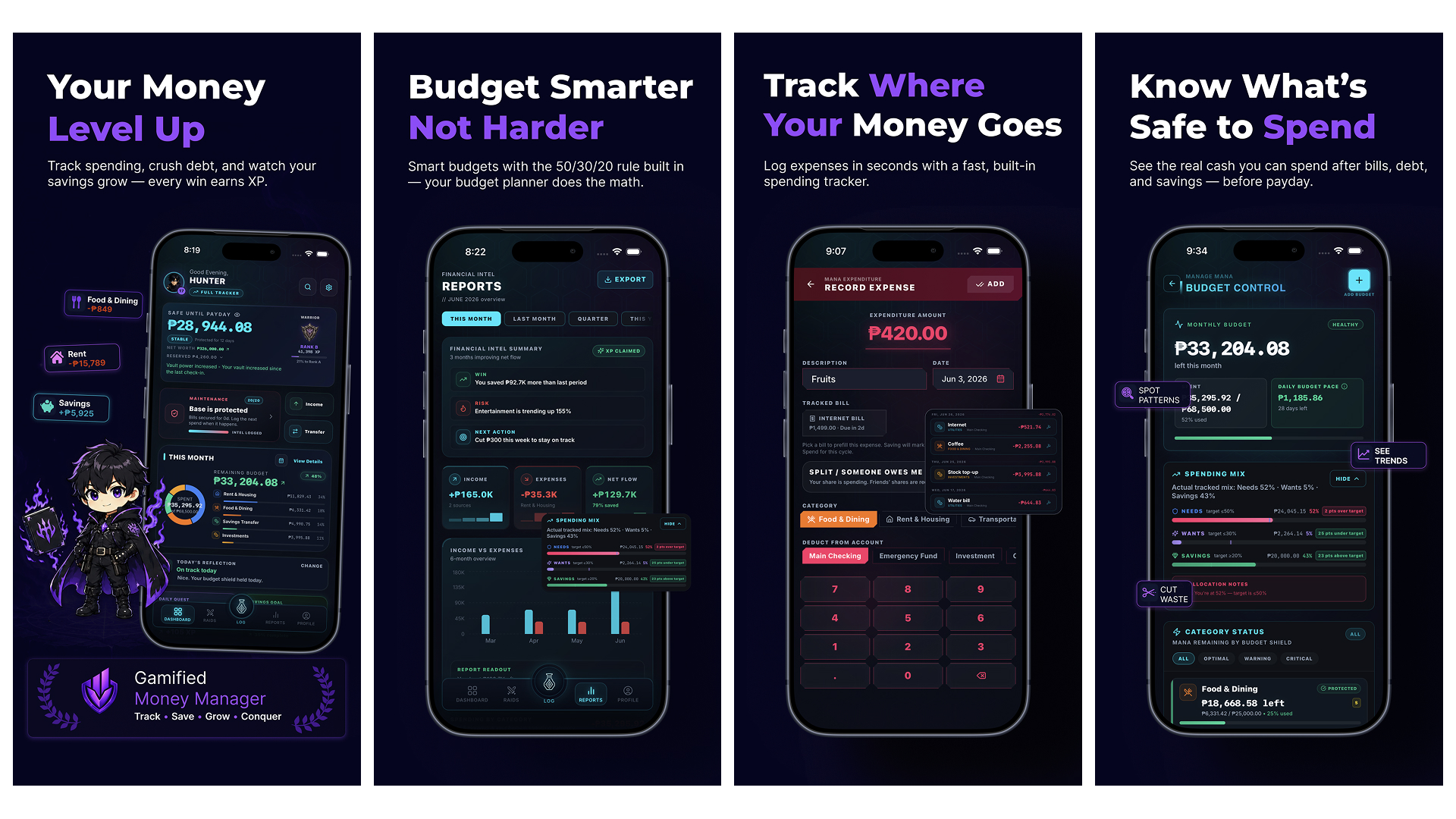
Hunter Vault is a gamified personal finance tracker that turns budgeting, expense tracking, saving, and debt payoff into RPG-style progress using quests, XP, ranks, streaks, vaults, and goals. For saving specifically, each contribution feeds a goal’s progress bar, completing money actions earns XP, and streaks reward you for showing up, so the habit itself becomes the fun part.
Picture saving for a $300 trip fund. You set it as a goal, every contribution nudges the bar forward, and logging it daily builds a streak you don’t want to break. Instead of a flat number in a banking app, you get a small win each time, which is the part that keeps most people going.
Best for: People who quit normal finance apps out of boredom and want saving to feel like leveling up.
Pros:
- Saving and tracking feel like progress, not a chore.
- Streaks and quests target the consistency problem directly.
- Works for the whole money picture, not just one savings pot.
Cons (the honest part):
- It tracks and motivates; it doesn’t hold your money or move it automatically. If you want an app that auto-transfers cash for you, see Qapital or Acorns below.
- The RPG framing clicks for some people and not others.
2. Fortune City — Best for Visual Fun (and Free)
Fortune City gamifies expense tracking with a city simulation: you record expenses and watch your city grow into a metropolis, building budgeting habits as you go. It’s genuinely charming and has a large, long-running user base.
Best for: People who want tracking to feel cute and visual, on a free app.
Pros:
- Free to start on iOS and Android.
- The city-building loop makes logging oddly satisfying.
Cons:
- Some budgeting features sit behind a paywall, and users report frequent ads and subscription pricing that can run high depending on your region.
- It’s about tracking spending, not actively building savings goals.
3. Qapital — Best for Automated Saving Rules
Qapital lets you set savings goals and create fun rules, like saving a dollar every time you skip a coffee, which makes watching your money grow feel addictive. The playful “rules” are the gamified part, but the real work is automation.
Best for: People who earn enough but never get around to saving, and want the app to just do it.
Pros:
- Custom rules turn everyday actions into automatic savings.
- Money actually moves, not just a tracked number.
Cons:
- It requires a linked bank account to work, and plans start at a few dollars a month after a free trial.
- Less “game,” more clever automation.
4. Cove — Best for Saving Plus Beginner Investing
Cove turns saving and investing into a visual island-building experience, where you stash savings into decorations, typically earn an APY on cash, and can start investing with beginner-friendly tools. Cash savings are held in an insured account and investments carry a small fee. Rates and insurance terms change, so check the current details before relying on them.
Best for: People who want saving and a first step into investing in one playful app.
Pros:
- Fun visual progress tied to real savings.
- Typically offers an APY on savings, with insurance on cash and investment accounts (verify current terms).
Cons:
- A small annual fee applies to invested assets.
- Investing involves risk, so it’s not for everyone (more on that in the safety note).
5. Acorns — Best for Hands-Off Round-Ups
Acorns invests your spare change from purchases automatically, building a balance from small amounts, and is free for several years for students with a .edu email. The “fun” here is mostly that you barely notice it happening.
Best for: People who want to save without thinking about it at all.
Pros:
- Effortless; round-ups add up in the background.
- Good for people who freeze up at the word “investing.”
Cons:
- It’s an investing product, not a savings account, so balances can go down as well as up.
- Subscription-based, and round-ups alone won’t build big savings fast.
Also Worth Knowing
Automation-only option: Oportun, which many people still know as Digit, analyzes your income and spending and automatically transfers small, safe amounts to savings, for roughly five to six dollars a month. Not very game-like, but effective if your only problem is forgetting.
Some apps gamify saving with lottery-style mechanics: prize-linked savings apps give you a chance at real money rewards while your balance still grows underneath, and apps like Long Game tie savings to mini-games with cash rewards. These can be motivating, but the lottery layer adds a gambling-like feel that won’t suit everyone, especially anyone who struggles with impulse habits. Approach with a clear head.
How to Choose the Right One
Match the app to your actual problem:
- You get bored and quit: pick a motivation app like Hunter Vault or Fortune City. If past apps died because logging felt pointless, Hunter Vault’s quests and streaks are built specifically for that — and our guide on staying consistent with budgeting goes deeper on beating the boredom.
- You earn enough but never save: pick an automation app like Qapital or Oportun.
- You want to dip into investing too: look at Cove or Acorns, knowing the risk involved.
- You want it totally hands-off: Acorns round-ups or Oportun.
You can also use two together: an automation app to move the money and a gamified tracker to keep you engaged with the bigger picture. If the habit itself is what keeps breaking, start with how to build money habits that actually stick. And if you’re managing money on a student budget, our companion guide covers the best finance apps for students who hate budgeting.
This is general educational content, not professional financial or investment advice. Several apps above involve investing, which carries risk, including the possibility of losing money. Pricing and features change often, so check each app’s current details before signing up, and choose what fits your income and situation.
Final Takeaway
Saving sticks better when there’s a reward you can actually see, which is the missing piece for most people who keep starting and stopping. Pick the app that matches your real problem, whether that’s boredom, forgetfulness, or both, and start with the smallest version of it today. (New to saving entirely? Start with how to save money using a game system.)
If the gamified angle is what you’re after, that’s Hunter Vault’s whole thing, and at the decision-stage it’s worth a real try. Three quick first steps: create one savings goal, set logging it as a daily quest, and start your streak. The progress bar handles the motivating from there. Hunter Vault is free to start tracking on iOS and Android, so you can test the game feel before committing to anything.